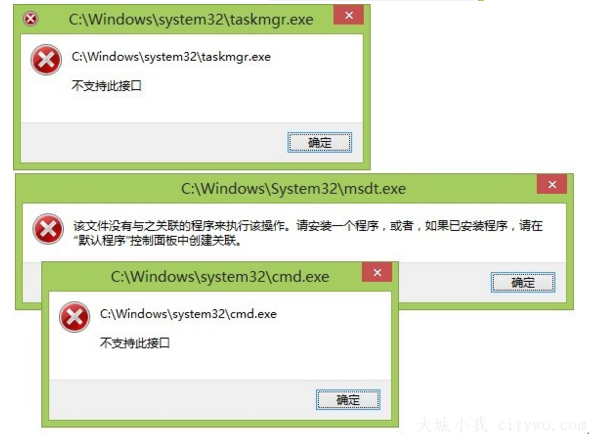
安裝 Win8.1 後重開機出現 wuauclt.exe - 應用程式錯誤,錯誤代碼 0x8000173c、記憶體位址 0x58a10108 無法讀取。此為 Windows Update 服務異常導致,暫時停用該服務即可繞過錯誤。
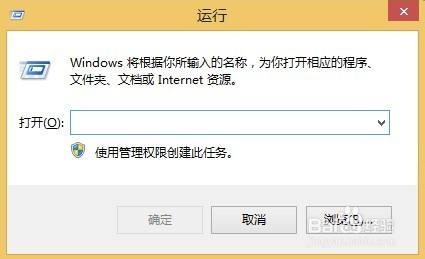
services.msc → 確定開啟服務管理單元。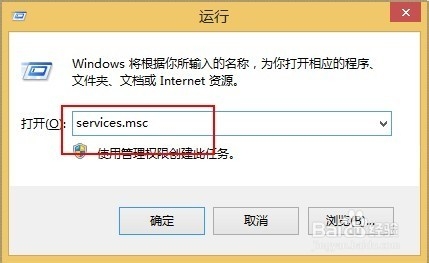
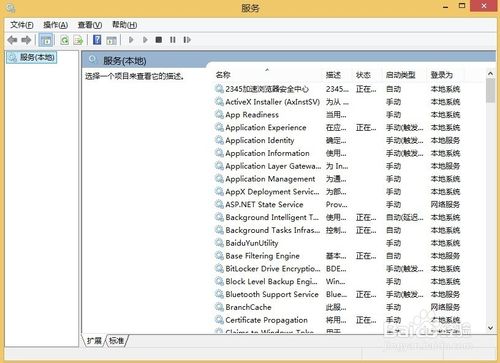
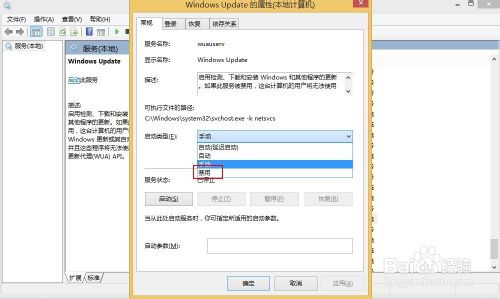
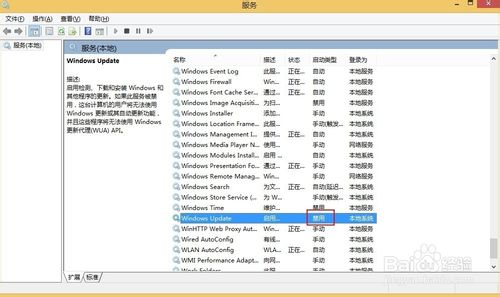
sfc /scannow、DISM /Online /Cleanup-Image /RestoreHealth 修復系統檔案。Win10 開始選單全螢幕模式切換教學(適用 Build 9926)
Win7 直接免費升級 Win10 圖文教程:微軟官網加入 Insider → 下載升級元件 → 保留檔案設定 → 享終身免費升級
Windows 7 內建效能監視器開啟雙法:perfmon 指令與電腦管理介面
Win10 OneDrive 同步極慢?三大加速方案:修改 Hosts 指定優質 IP、提高上傳執行緒數、關閉 Office 上傳中心衝突
Win10 預覽版如何升級正式版?Insider 通道切換與停用完整教學
Win10 預覽版 10051 斯巴達瀏覽器內建 IE 開啟頁面功能教學