Windows XP Windows 7 Windows 2003 Windows Vista Windows 綜合教學 Linux 系統教學
Windows 10 Windows 8 Windows 2008 Windows NT Windows Server 電腦軟體教學
您现在的位置: Windows教程網 >> Windows教程 >  >> Windows 綜合教學 >> 關於 Windows

Win10 所有 .exe 無法開啟、提示「不支援此介面」?Restorator 2007 導致檔案關聯損毀,REG 修復一鍵解決

編輯:關於 Windows

Windows 10 突然所有 .exe 檔案無法執行,滑鼠右鍵無「開啟」選項,控制台、工作管理員等系統功能皆報錯「不支援此介面」。經排查為安裝 Restorator 2007 修改了 .exe 檔案關聯導致。提供註冊表修復檔一鍵恢復。
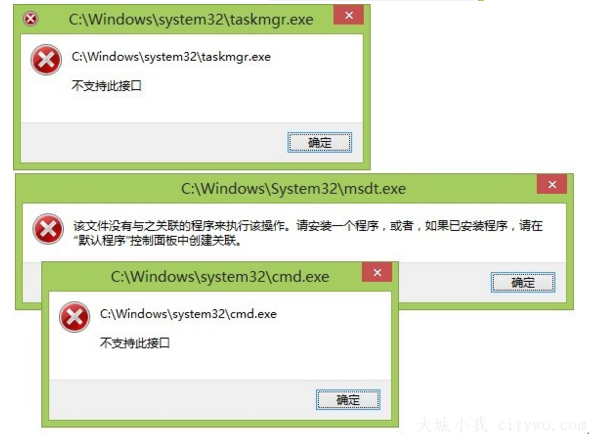
Restorator 2007 導致錯誤

修復方法

  1. 下載本文提供的註冊表修復檔(適用 Win7/Win8/Win10)。
  2. 雙擊執行匯入登錄,確認提示選「是」。
  3. 重新開機或重新啟動總管,.exe 檔案關聯即恢復正常。

原理:修復 HKEY_CLASSES_ROOT\.exe、HKEY_CLASSES_ROOT\exefile 等關鍵機碼的預設值,移除 Restorator 寫入的錯誤關聯。若無法下載修復檔,可手動在登錄編輯器中將 exefile\shell\open\command 預設值改為 "%1" %*。

安裝舊版資源編輯工具(如 Restorator、Resource Hacker 等)前請先備份登錄或建立還原點,避免檔案關聯被惡意修改。

Copyright © Windows教程網 All Rights Reserved