Windows XP Windows 7 Windows 2003 Windows Vista Windows 綜合教學 Linux 系統教學
Windows 10 Windows 8 Windows 2008 Windows NT Windows Server 電腦軟體教學
您现在的位置: Windows教程網 >> Windows教程 >  >> Windows 綜合教學 >> 關於 Windows

Win8.1 更新補丁出現 8024402F 錯誤?修改 DNS 為 4.2.2.1/4.2.2.2 即可解決

編輯:關於 Windows

Win8.1 更新補丁報錯 8024402F,實為網路衝突導致,修改 DNS 通常可解決:

修改 DNS 步驟

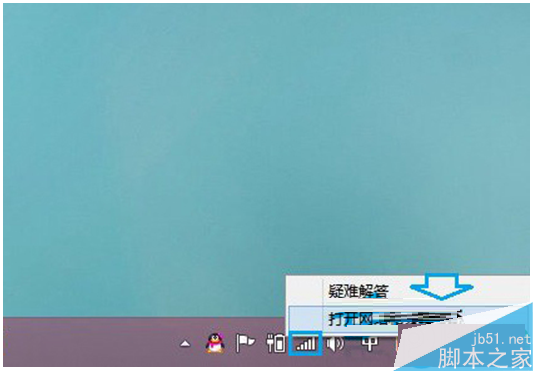
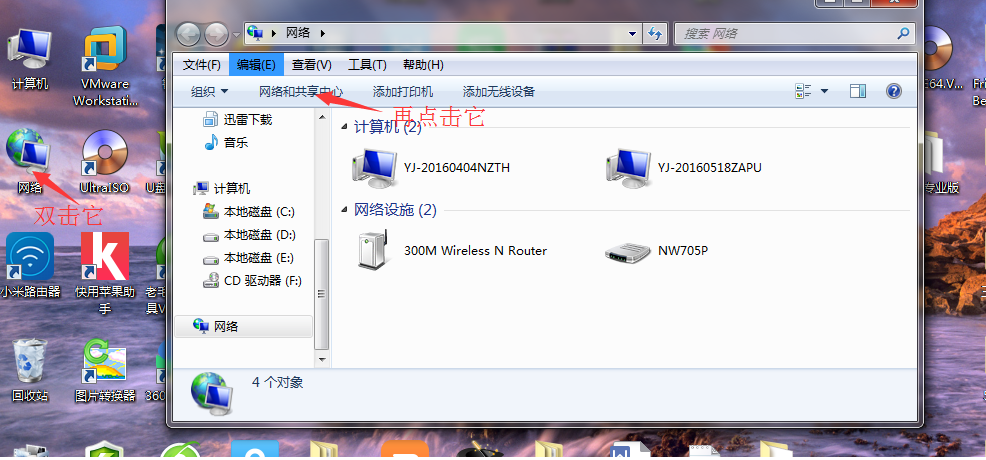
  1. 右鍵右下角網路圖示 → 「開啟網路和共用中心」。
    網路共用中心
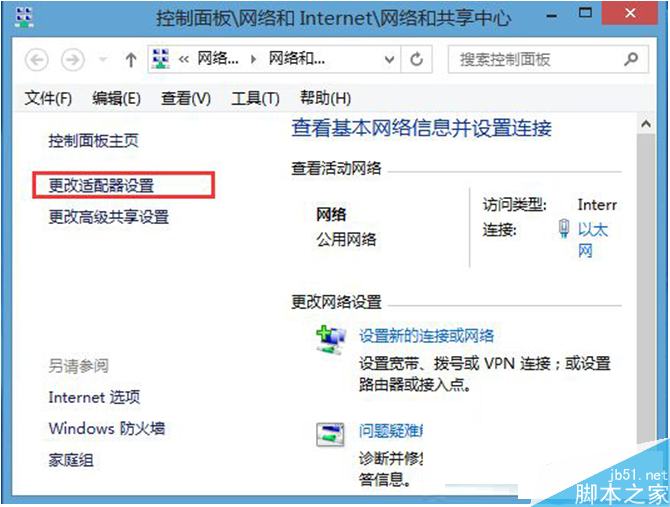
  2. 點擊「變更介面卡設定」。
    變更介面卡
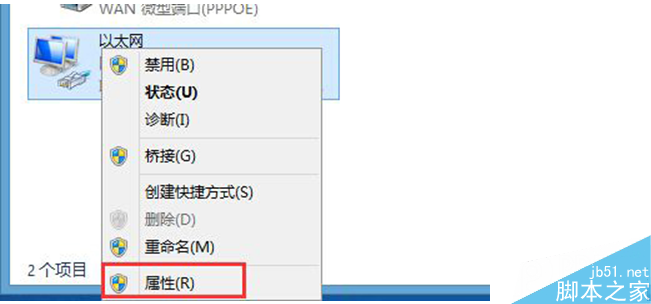
  3. 右鍵「乙太網路」或正在使用的無線連線 → 「內容」。
    網路內容
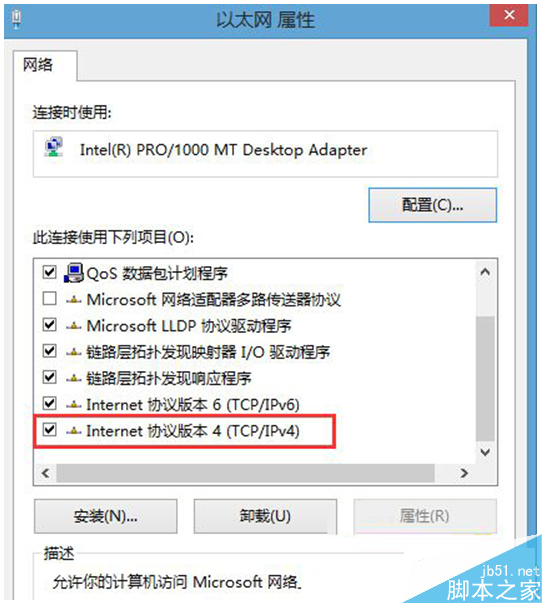
  4. 雙擊「Internet 通訊協定第 4 版 (TCP/IPv4)」。
    IPv4內容
  5. 選「使用下列 DNS 伺服器位址」:慣用 4.2.2.1、備用 4.2.2.2。
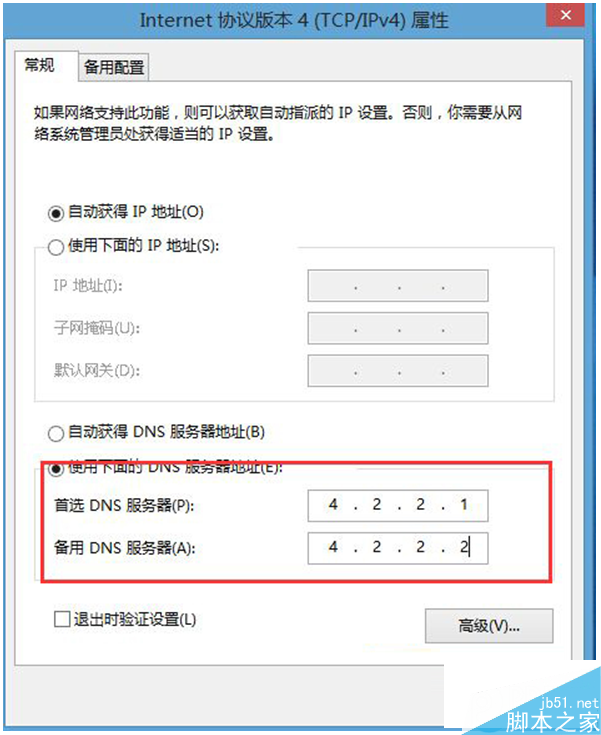
    DNS設定
  6. 確定儲存,測試更新是否成功。

若仍失敗,嘗試輔助方法

  • 刪除更新快取檔案:C:\Windows\SoftwareDistribution\Download(有一檔刪不掉可忽略)。
  • 右下角時間 → Internet 時間 → 同步 → 重開機。

8024402F 本質為網路衝突,修改 DNS 多數情況下即可解決。

Copyright © Windows教程網 All Rights Reserved