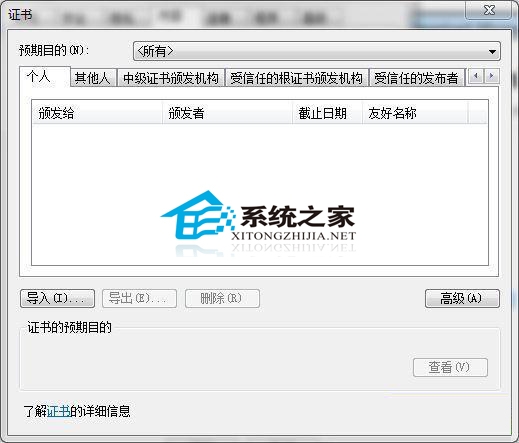
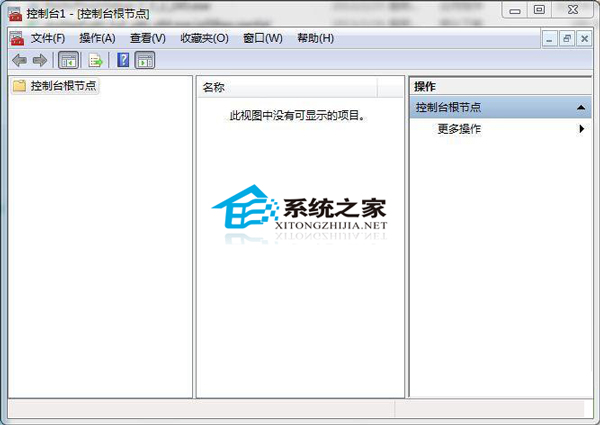
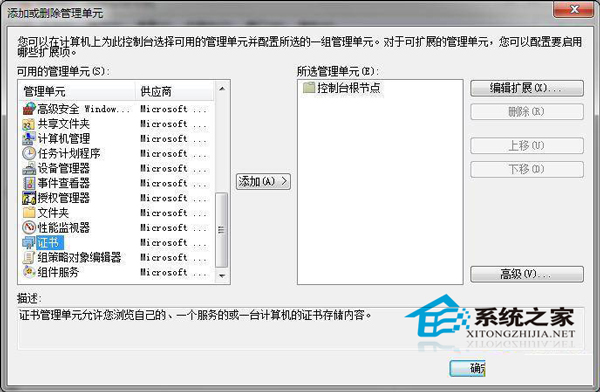
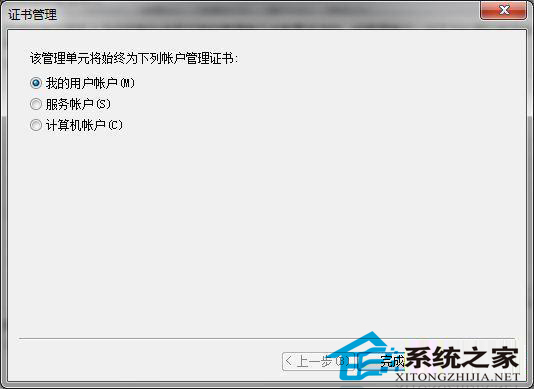
重裝 Win7 後,舊網銀憑證殘留導致錯誤。IE「內容」→「憑證」可刪除顯性憑證,但部分隱藏憑證需用 MMC:
mmc
四步驟徹底清除殘留憑證,避免網銀登入衝突。
Windows 10 關閉語音辨識功能教學:阻止開機自動啟動的完整步驟
Win7 瀏覽器提示「伺服器安全憑證尚未生效」?多半是系統時間錯誤
Windows 10 相簿應用首度曝光:照片增強效果驚人
Win10 開啟內建 Administrator 管理員帳戶:電腦管理 → 本地用戶和群組 → 取消停用
Win10 服務優化指南:如何開啟服務與哪些可安全停用
Win7開啟服務管理介面三法匯總:services.msc、電腦管理、控制台系統管理工具
Win10 快速存取釘選資料夾:一鍵固定常用深層目錄到快速存取與檔案選單
Win8 開機出現致命錯誤 C00000022 解決方法