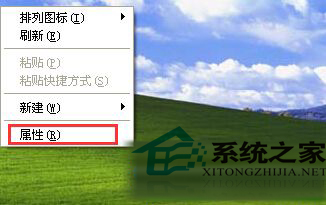
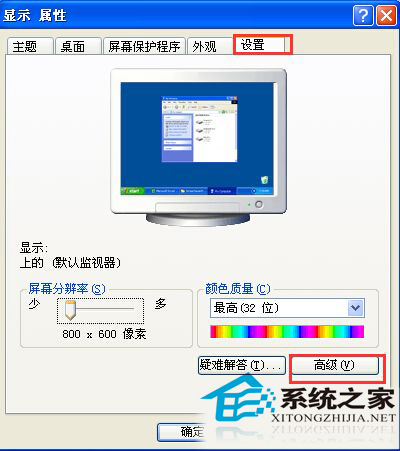
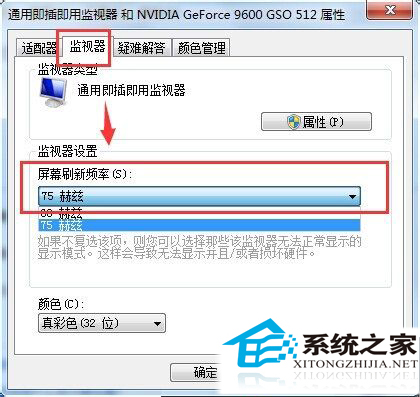
CRT 螢幕閃爍主因是重新整理率過低。XP 系統下調整步驟:
CRT 色彩還原優於 LCD,適當調高重新整理率即可消除閃爍,延續經典顯示器壽命。
Win10 修改通知彈出位置(頂部/底部),登錄表完整教學
Windows XP 設定所有資料夾預設用「詳細資料」檢視模式
Win7 開機報錯「遺失 UxTheme.dll」無法進入桌面?安全模式 SFC 修復 + 手動替換檔案雙重保險
Windows 9 之後不再有 Windows 10?微軟規劃月度更新模式,Threshold 成最後大版本
Windows 7 內建家長控制功能完整設定教學
錯過免費期限怎麼辦?用輔助技術通道免費升級 Win10 完整教學
Win7 螢幕鍵盤三種開啟方法:控制台輕鬆存取中心、搜尋「螢幕鍵盤」、搜尋「osk」指令
Win7 安裝補丁提示「缺少 Service Pack 系統組件」原因與修復:還原驅動程式備份資料夾