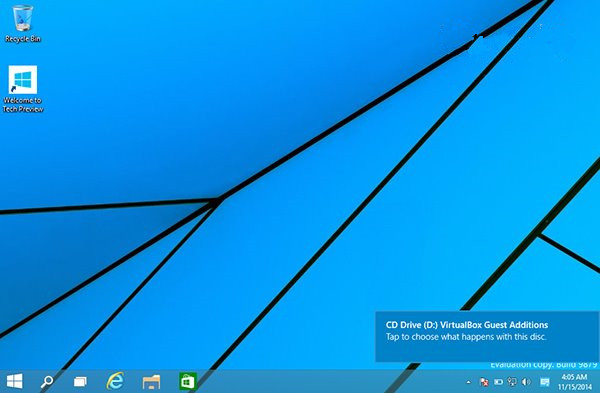
Win10 通知橫幅預設右下角(從 Win8.1 升級則為右上角),可透過登錄表自訂顯示於螢幕頂部或底部。
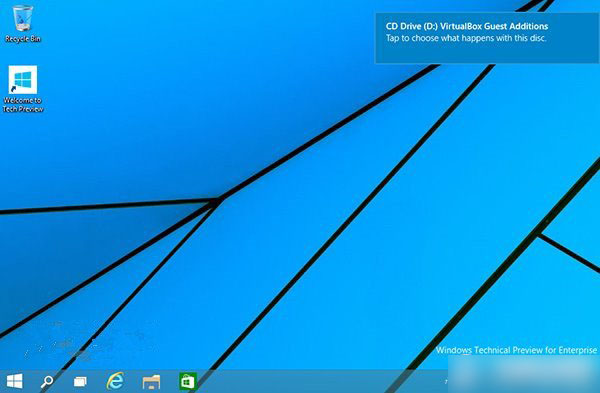
修改步驟:
regedit,定位 HKEY_CURRENT_USER\Software\Microsoft\Windows\CurrentVersion\Explorer。DisplayToastAtBottom,數值 1 為底部,0 為頂部。explorer.exe(Shift+Ctrl 右鍵開始按鈕 → 結束檔案總管 → 工作管理員執行 explorer.exe)。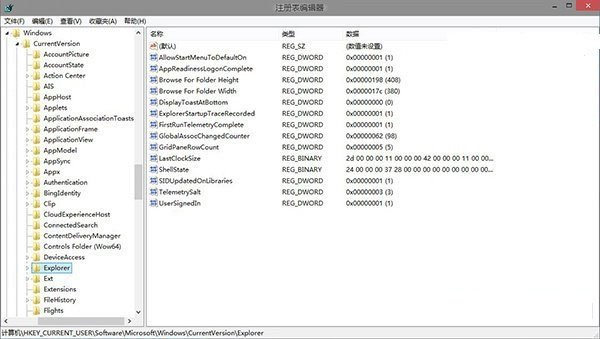
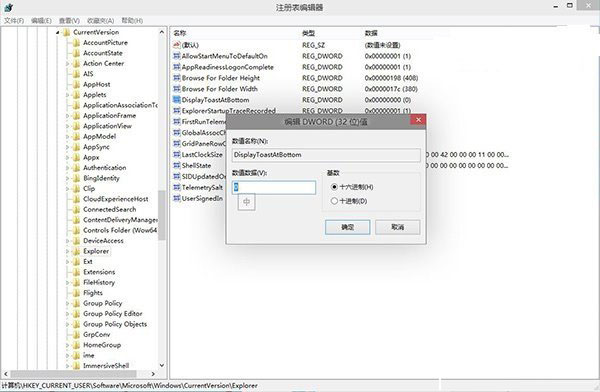
還原:將值改回 0 並重啟檔案總管。
另可下載註冊表快捷腳本 (註冊表.vbs) 一鍵定位鍵值。
Windows 10 第二波累積更新彙總:6 枚補丁 KB3081436,KB3081424 重啟死循環修復狀況不明,建議謹慎升級
升級 Windows 10 後 VirtualBox 無法運作?快速解決相容性問題
Win10 如何安裝「閱讀清單」應用?應用商店搜尋「Windows 閱讀應用」下載即可
Win10 上 Chrome Canary 最新版頻繁崩潰報錯「Aw, Snap!」?官方已修復,建議暫用替代方案
Windows 虛擬記憶體 pagefile.sys 刪除與移動完整教學:透過系統設定操作,勿手動刪除檔案