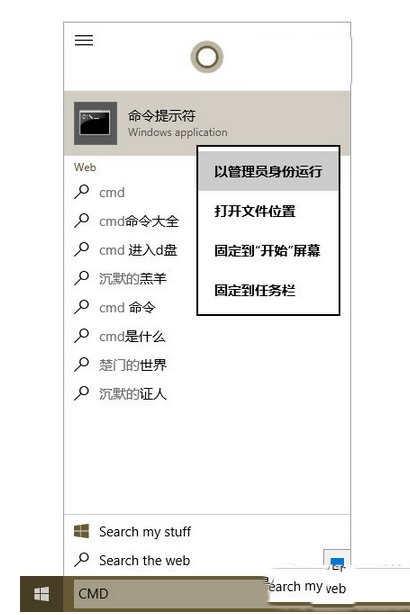
Windows XP 開機提示「找不到 comctl32.dll」,解決方式為取得該檔案並註冊至系統。
comctl32.dll 或從他處複製,放置於 C:\Windows\System32 目錄。regsvr32 comctl32.dll 按 Enter 註冊。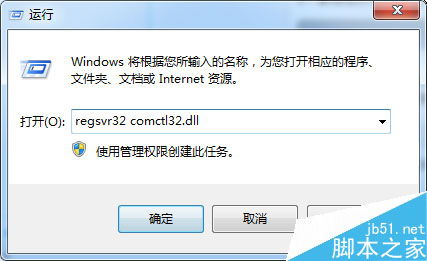
注意:請確保下載來源可靠,避免引入惡意程式碼。若系統檔案大量遺失,建議考慮修復安裝或重灌系統。
Windows 提示「RPC 服務意外終止,系統即將關機」?兩種解法:重新註冊 IE 組件、修改 RPC 服務復原設定
Win7 GHO 檔案超過 4GB 無法複製到 FAT32 隨身碟?改用 exFAT 格式或分卷壓縮解決
Win7 64 位元執行程式提示 MSCOMCTL.OCX 遺失?複製至 SysWOW64 並註冊修復
制作 Windows 10 U 盘启动安装盘全教程:官方工具 Windows 7 USB/DVD Download Tool
Win8 開始畫面 SkyDrive 應用完整使用指南:雲端檔案管理、Office 線上編輯、跨裝置同步