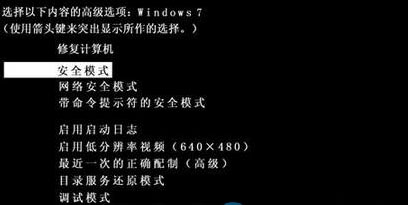
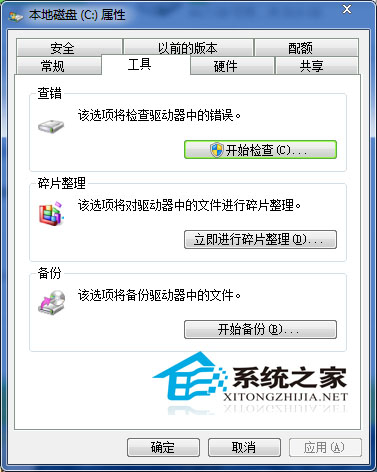
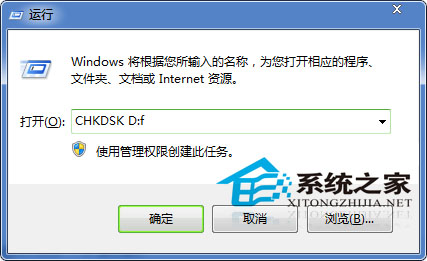
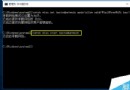
Windows 7 突然出現「複製後無法貼上」:Ctrl+V 無反應,滑鼠右鍵「貼上」選項變灰。經排除病毒後,透過磁碟清理與 CHKDSK 掃描修復 成功解決。
CHKDSK D: /f
替代方案:若覺得手動步驟繁瑣,可嘗試 360 安全衛士「電腦門診」搜尋「複製貼上」自動修復,但成功率不保證,徹底解決仍建議手動操作。
Win10 家庭版禁止關機自動更新:官方 wushowhide 工具隱藏更新完整教學
Win10 內建郵件應用程式設定與使用完整教學:支援 Outlook、Gmail、QQ 等多種帳號
Win7/8/10 如何恢復 XP 風格快速啟動列?
Win8 Metro介面不想用怎麼關閉?註冊表修改法教學
Windows 10 + 7 雙系統隱藏 Win10 開機選單並設定熱鍵啟動教學
重裝 Win7 系統後出現英文提示畫面解決方法 (啟動修復/重新啟動)
Windows 10 Build 10134 預覽版即將推送給 Fast Ring 用戶,Build 10130 轉推 Slow Ring
Win7 提示「登錄空間不足」三大解決方案:減少啟動項、清理垃圾、增加虛擬記憶體