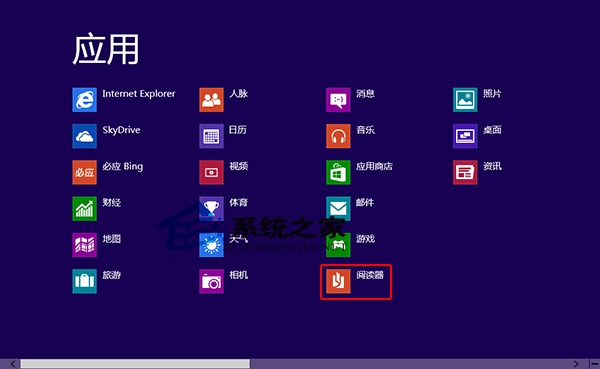
Windows 8 內建「閱讀器」應用程式,可直接開啟 PDF 與 XPS 檔案,無需安裝第三方軟體。以下為快速開啟方法。
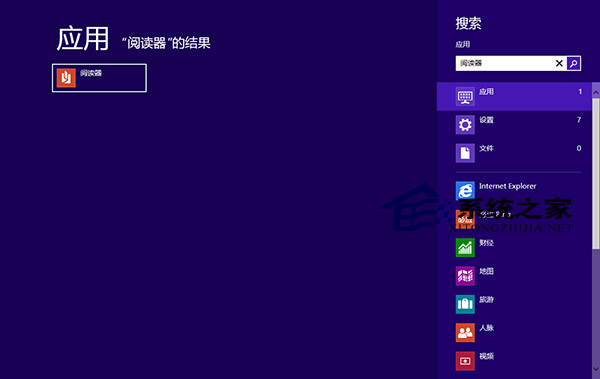
替代法:直接在開始螢幕搜尋框輸入「閱讀器」關鍵字,即可快速定位並開啟。
Win10 升級後 C 槽空間不足?用 DiskGenius 無損調整分區擴容 C 槽
XP 系統 Tracert 指令追蹤網路路徑完整教學
Windows 10 技術預覽版激活提示版本不符?利用功能解鎖升級為正確版本
Win7 如何用 Ping 指令測網速、診斷斷網?圖文教學從入門到精通
Win8 透過 IE 建立 VPN 連線 滿足特殊上網需求
Win10 9901 升级教程:软媒魔方一键 U 盘启动/硬盘装机、ISO 原地升级、VHD 隔离安装多法可选
Win10 週年更新正式發布:功能全面升級,夏季免費推送
Win10 查看 DirectX 版本圖解教學:執行 dxdiag 指令,預覽版顯示 DirectX 11,正式版將內建 DX12