Windows Insider Preview 計畫分為慢速與快速通道,快速通道可更早獲得新建置版本。若想搶先體驗新功能,只需在設定中切換通道即可。
切換步驟
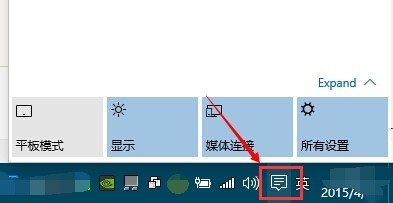
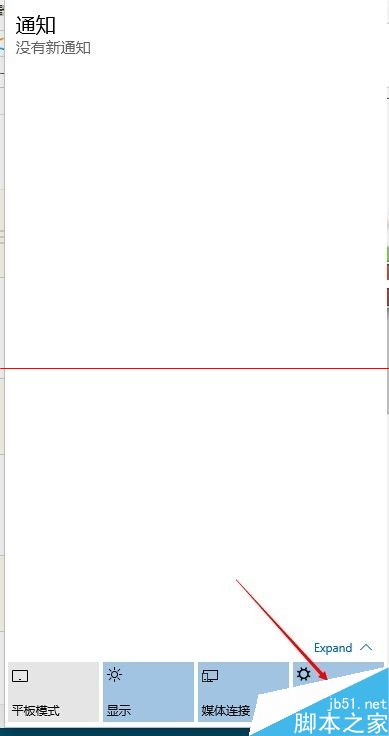
- 點擊工作列右側 通知中心圖示(或按 Win + A),選擇 所有設定。
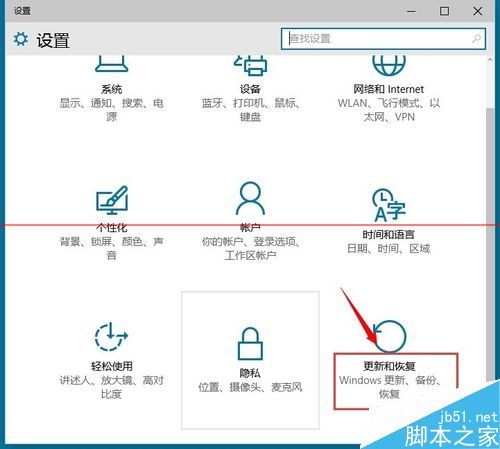
- 進入 更新與安全性 → Windows Insider 計畫。
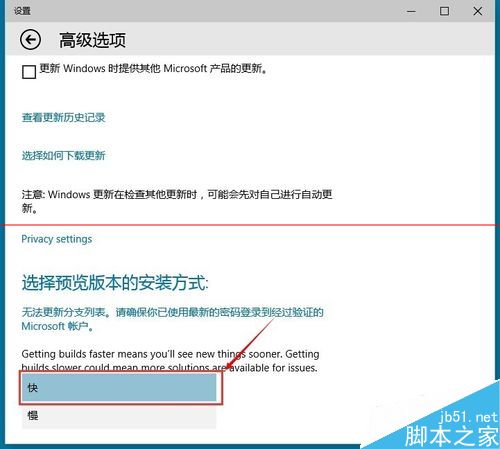
- 點選 進階選項。
- 在「選擇預覽版本安裝方式」下拉選單選擇 快速。
- 系統將於下次檢查更新時接收快速通道建置版。
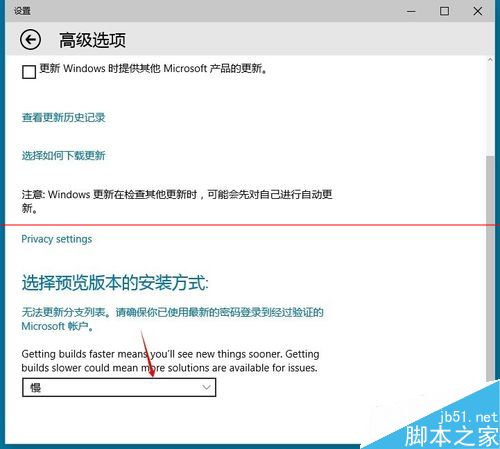
> **建議**:生產環境或主力機建議維持「慢速」通道,穩定性較高;測試機/虛擬機適合切換「快速」搶先回報 Bug。
通道差異快速比較
| 通道 | 更新頻率 | 穩定性 | 適用對象 |
|---|
| 快速 | 約每週 | 中等,可能有嚴重 Bug | 開發者、尋鮮者、測試機 |
| 慢速 | 約每月 | 較高,經過較多驗證 | 一般使用者、主力工作機 |