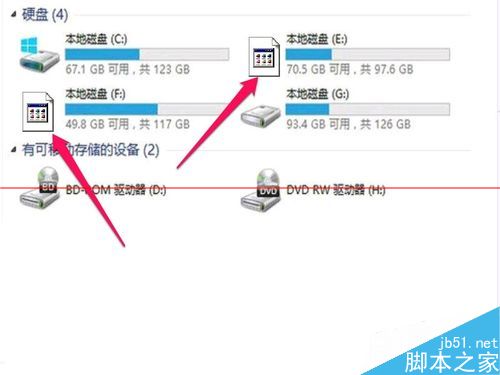
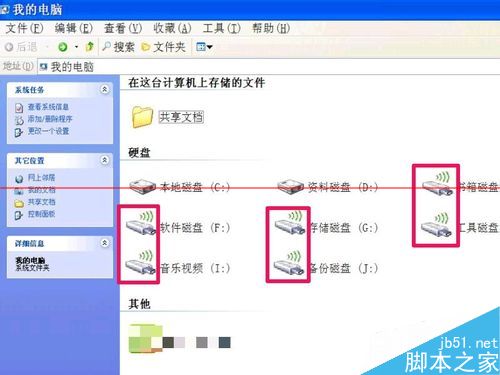
XP 磁碟圖示變成未知或錯誤圖示,五大原因與對策:
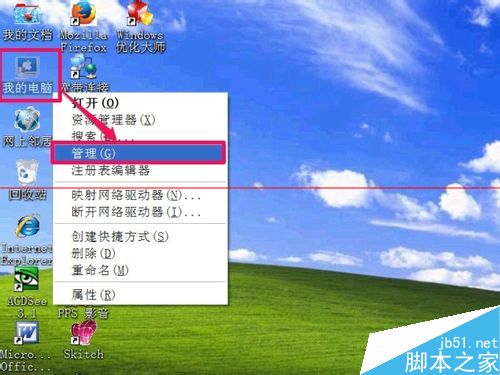
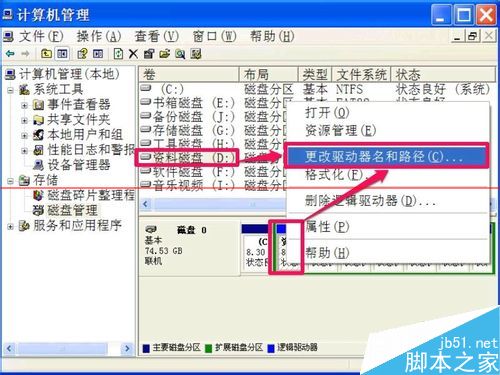
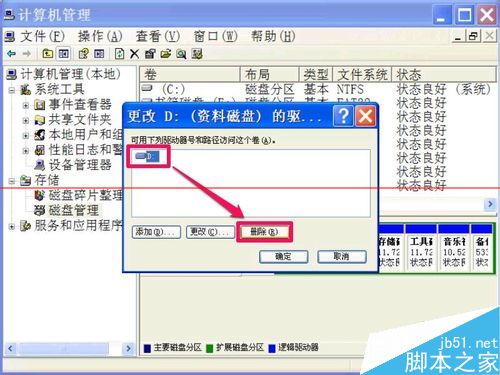
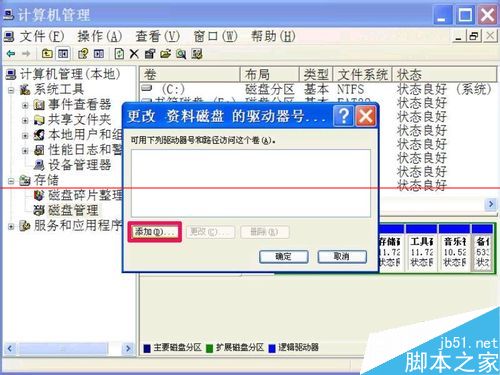
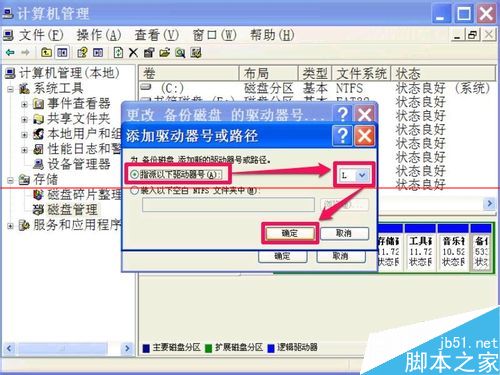
右鍵「我的電腦」→ 管理 → 磁碟管理 → 右鍵目標磁碟 → 「變更磁碟機代號與路徑」 → 移除原代號 → 新增指定代號 (避免重複) → 重開機。
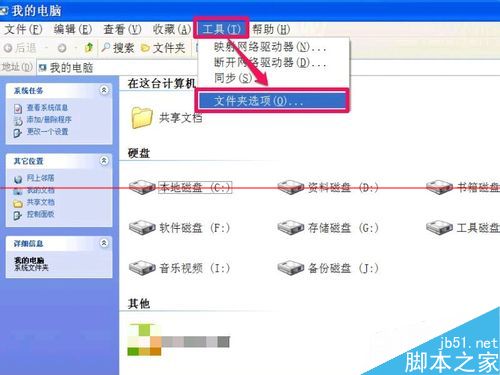
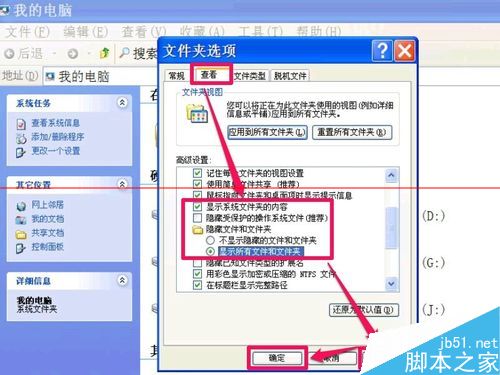
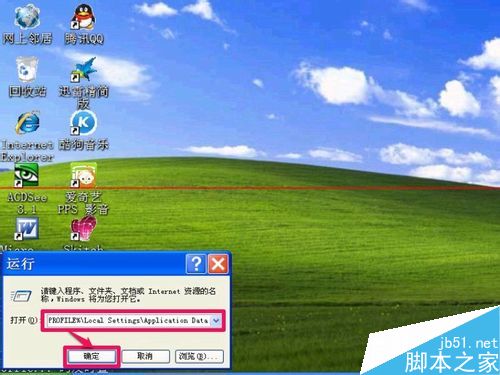
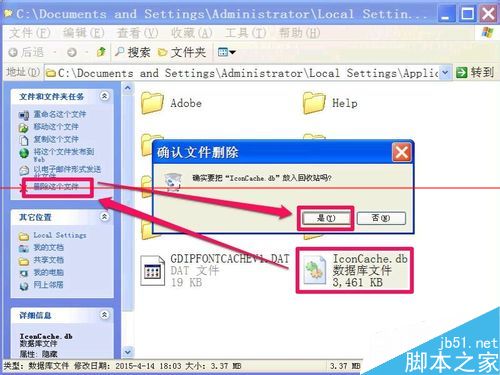
資料夾選項 → 顯示隱藏/系統檔案 → Win+R → XP: %USERPROFILE%\Local Settings\Application Data / Win7: %USERPROFILE%\AppData\Local → 刪除 IconCache.db → 重開機自動重建。
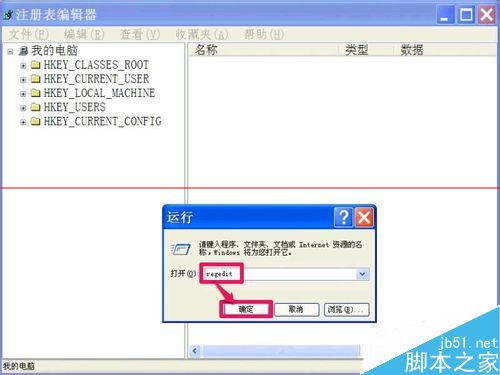
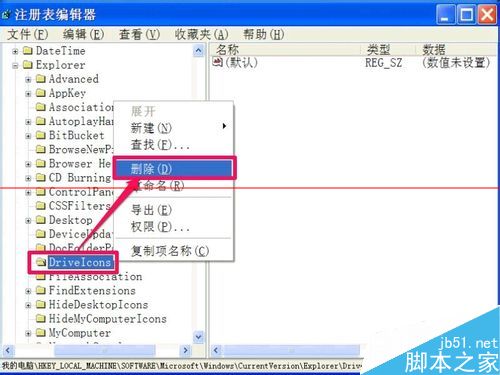
Win+R → regedit → HKEY_LOCAL_MACHINE\SOFTWARE\Microsoft\Windows\CurrentVersion\Explorer\DriveIcons → 刪除該項 → 重開機。
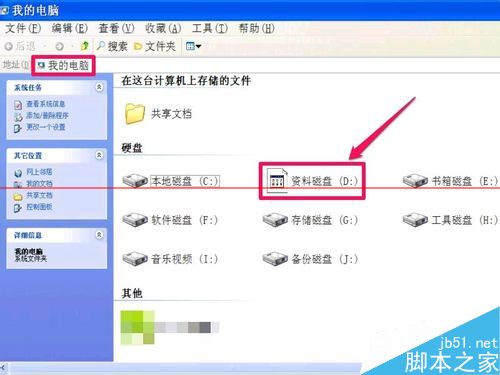
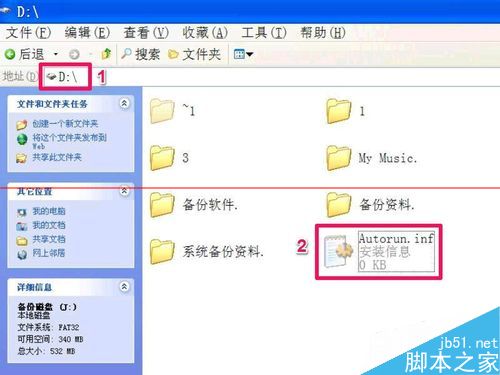
進入異常磁碟根目錄 → 顯示隱藏檔 → 刪除 Autorun.inf → 重開機。
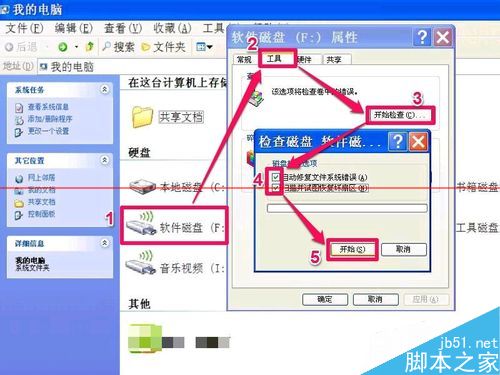
右鍵磁碟 → 內容 → 工具 → 「開始檢查」 → 勾選兩項 → 開始 → 重開機修復。
注意:修改註冊表前建議先備份。亦可用安全軟體自帶「圖示修復」功能一鍵解決。