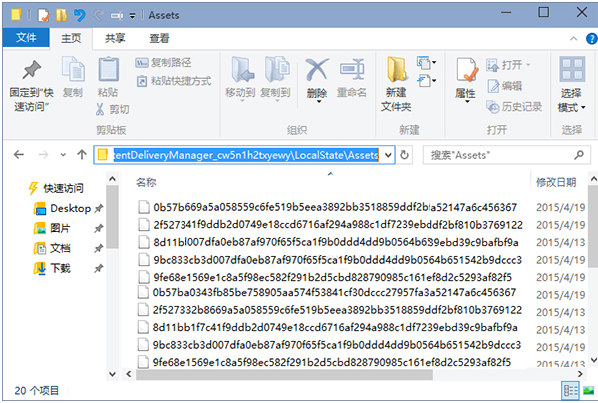
Win10鎖定畫面壁紙自動從雲端下載,路徑因版本略有不同:
C:\Users\用戶名\AppData\Local\Packages\Microsoft.Windows.ContentDeliveryManager_********\LocalState\Assets\C:\Users\用戶名\AppData\Local\Packages\Microsoft.ContentDeliveryManager_********\LocalState\Assets\關鍵點:Microsoft.Windows.ContentDeliveryManager_ 前綴固定,隨機後綴變動;Assets下檔案 無副檔名,需自行加 .jpg。
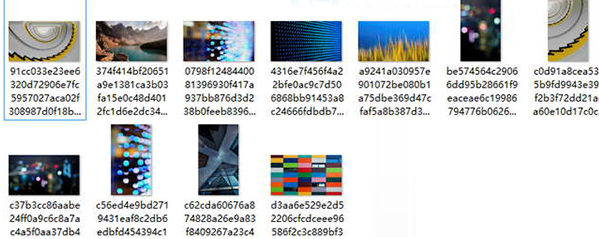
D:\Wallpaper)。ren D:\Wallpaper\* *.jpg。完成後可正常預覽。每組畫面通常含橫向(1920×1080)與直向(1080×1920)兩張,可作桌機/手機牆紙。