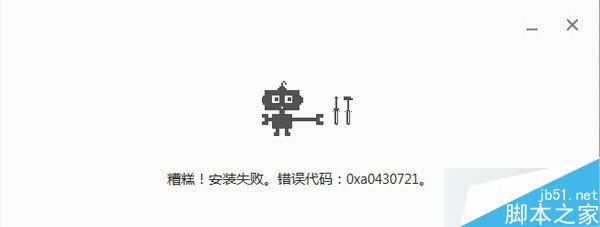
錯誤原因: 移除 Chrome 時未清除乾淨,殘留檔案導致重裝衝突。
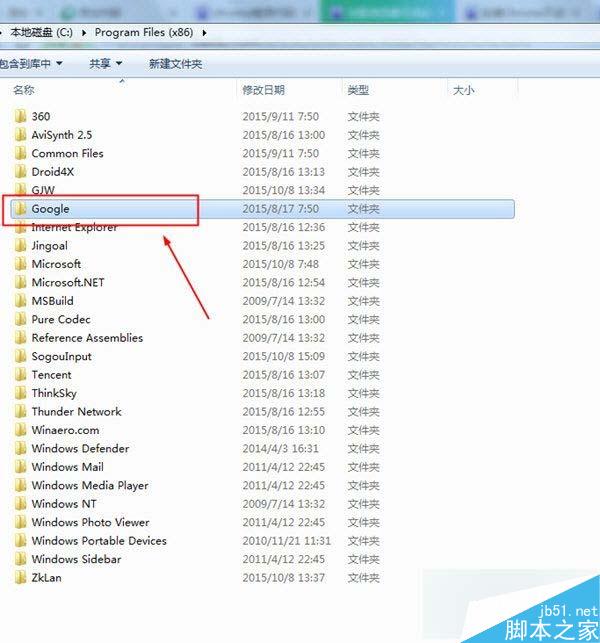
解決方法:
C:\Program Files
C:\Program Files (x86)
Google\Chrome
徹底刪除殘留資料夾是解決 0xa0430721 錯誤的關鍵。
Win10 vs Win8.1 實測對比:啟動、辦公、續航、游戲性能全面分析
Windows 7 六大版本差異詳解:哪個版本最適合你?
Windows 10 強化資安防護:多因子認證、企業資料隔離、白名單簽署服務全面升級
歷代 Windows 系統硬體需求大比拚:最低僅需 256 KB 記憶體
Win7開啟事件追蹤查詢異常關機原因:群組原則或登錄啟用「顯示關機事件追蹤程式」
微軟發布 Win10 Mobile 開發者旁載部署工具 WinAppDeployCmd
Win10 螢幕亮度調節教學:設定介面拖曳亮度滑桿、鍵盤熱鍵雙管齊下
升級 Windows 7 前必做:線上驅動相容性測試與體驗平台指南