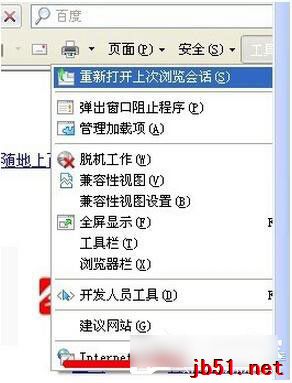
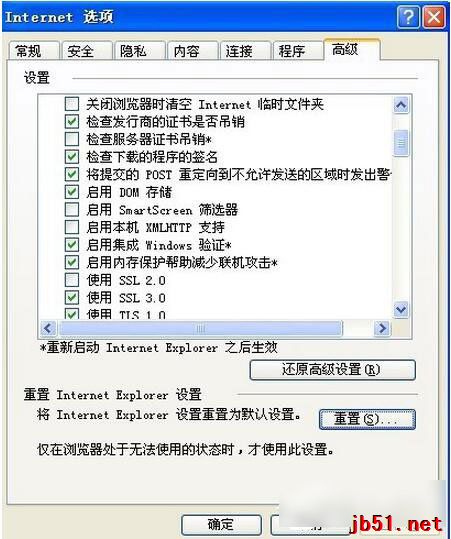
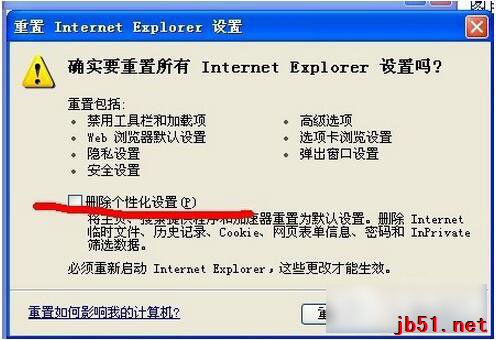
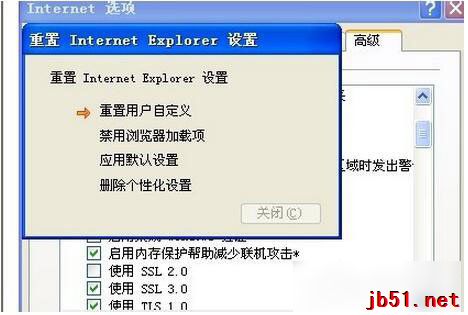
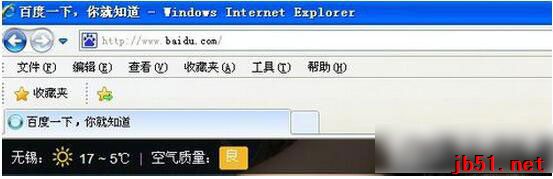
IE 頻繁彈出「此索引標籤已經復原」,透過重設 Internet 選項可修復。
建議:IE 已停止更新,建議改用 360 安全瀏覽器、Chrome、Edge 等現代瀏覽器以獲得更好安全性與相容性。
Windows 7 修改登錄檔切換硬碟 AHCI/IDE 模式避免藍畫面
Win10 10240 激活失敗錯誤 0xC004C003 解決方法
修復 Windows XP 桌面捷徑變成 .lnk 檔案關聯錯誤
Win10 預覽版 14267 多國語言包官方下載彙總(32/64 位)
Windows 修改檔案預設開啟程式:控制台→預設程式→設定關聯完整教學
Windows 10 隱藏空的光碟/磁碟機圖示設定教學
Win7 IE8 無法登入網銀?登錄檔補全銀行驅動系統路徑 (建行/農行/廣發銀行)
Windows 7 任務列時鐘顯示農曆、星期、溫濕度教學:使用軟媒時間