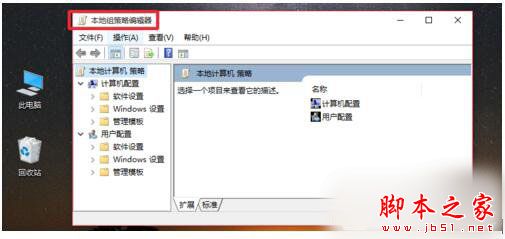
Win10 專業版/企業版內建群組原則編輯器 gpedit.msc,若遺失或損壞導致無法開啟,可從相同版本系統複製檔案修復。
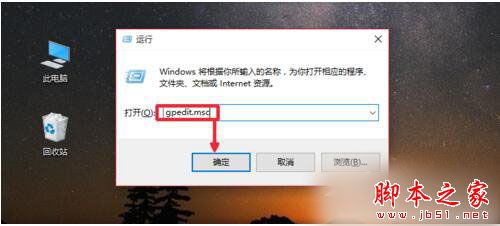
C:\Windows\System32\gpedit.msc。gpedit.msc → Enter。gpedit.msc 至本機同路徑覆蓋。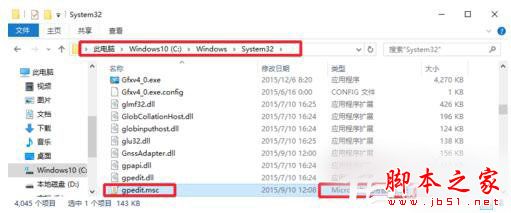
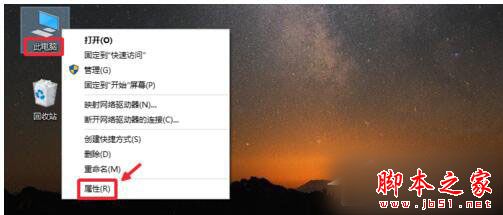
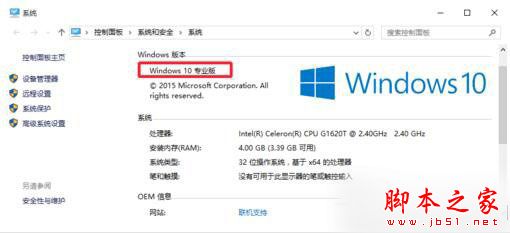
注意:家用版不包含 gpedit.msc,若為家用版則無法透過此法啟用,需升級專業版或使用第三方工具。
Win10 畫圖應用大變身:經典 MSPaint 全面現代化,UWP 版「Newcastle」曝光
Win7 旗艦版鍵盤 F1-F12 功能鍵完整圖解:從說明、重新命名到全螢幕、另存新檔
Windows 10 重塑應用模型:禁止隱藏啟動、強制啟動,打造純淨桌面環境
Win10 預覽版 10051 簡體中文 64 位專業版 ISO 鏡像下載
Windows 7 旗艦版提升電腦執行速度完整指南:效能資訊工具、ReadyBoost 與視覺效果調校
Windows 8 找不到「附件」與小工具?教您透過搜尋找回並固定到開始畫面