Win10 Mobile 10136 為 5 吋以上裝置帶來單手操作模式:長按開始鍵,畫面頂部內容自動下沉至螢幕中間,大拇指即可觸及所有頂部控制項。
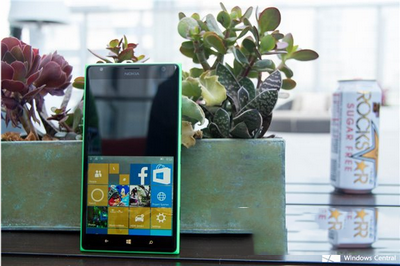
雖開始畫面捲動不夠順暢 (可能為 Bug),但整體極便利。黑色背景稍顯突兀,毛玻璃效果或更佳。功能非微軟首創 (iPhone 雙擊 Home、三星/LG 均有),期待更多人性化設計。
Windows 10 售價揭曉:家庭版 119 美元、專業版 199 美元,免費升級優惠詳解
Windows 7 更新失敗解決方案:下載對應修補程式手動安裝
Win10 Build 10123 上手體驗:Edge 隱私模式/密碼記憶/新分頁、延遲升級、觸控板高階手勢、投放裝置、備份還原回歸
Win7 磁碟清理指令 `cleanmgr /sageset:99` 設定一次,以後一鍵清理
Windows 10 免費升級預約收不到通知?強制觸發預約指令法
非 Win10.1:微軟 10 月將推 Win10 TH2 (Threshold Wave 2) 大型更新,Insider 先行測試