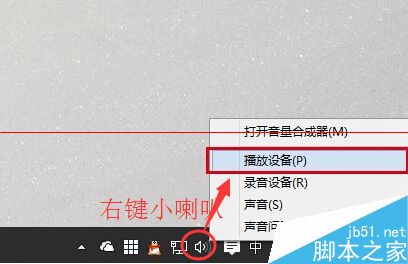
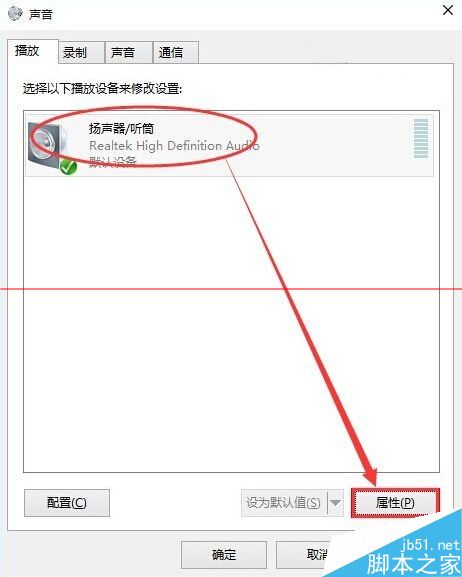
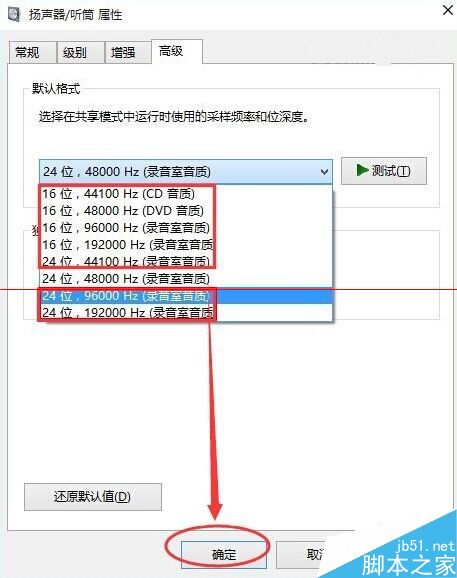
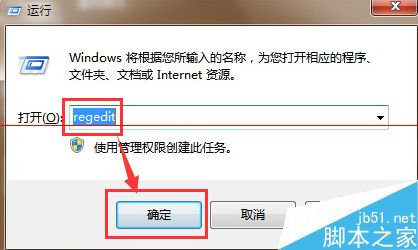
Win10 預覽版遇到無聲音與桌面背景不顯示,分別對應音訊格式與註冊表 Shell 值兩個問題:
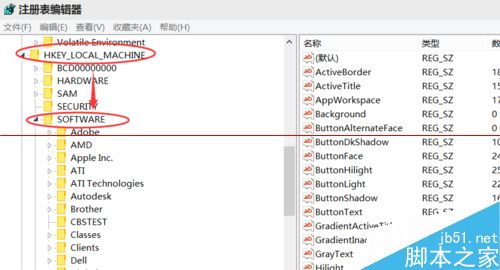
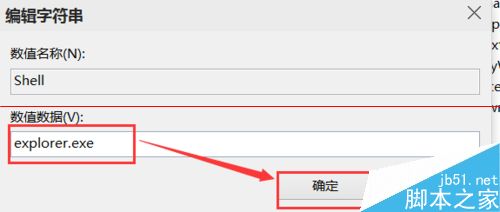
regedit
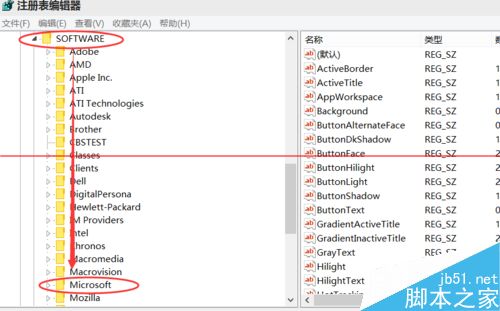
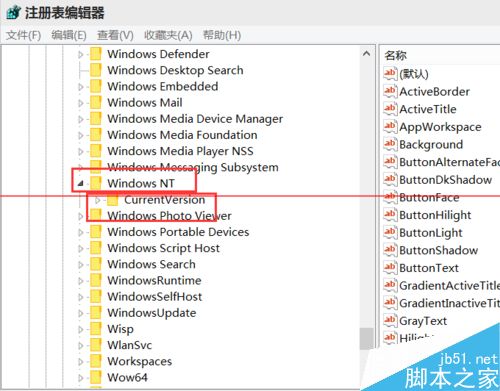
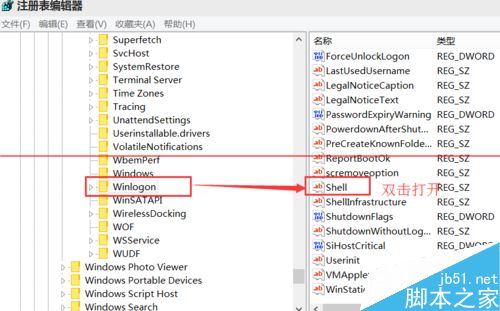
HKEY_LOCAL_MACHINE\SOFTWARE\Microsoft\Windows NT\CurrentVersion\Winlogon
Shell
explorer.exe
兩問題獨立,分別對應音訊驅動與殼層啟動異常,修復後系統恢復正常。
Win7 Aero Peek 預覽桌面開關:工作列屬性一鍵啟用/停用桌面預覽
Win7 錯誤代碼 10107 無法上網?因 360 安全衛士導致,Winsock 重置解決
Windows 10 Build 9926 上手影片速覽與官方 ISO 下載連結
Windows 7 如何關閉密碼輸入框的「顯示」按鈕?透過群組原則提升公共環境安全性
Windows 7 檔案雙層加密技巧:修改副檔名偽裝 + 壓縮檔設定密碼,二重保護隱私資料
硬碟壞軌修復與使用策略:掃描標記、分區隔離、PartitionMagic 隱藏、Pctools 0 軌屏蔽、低階格式化慎用
Win8實現IE10收藏夾雲同步:微軟賬戶登錄一鍵搞定
7 月 29 日微軟宣布 Win10 應用商店正式向開發者開放:跨 190 國通用平台