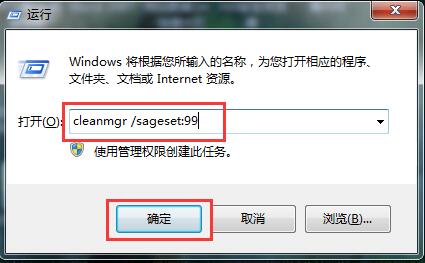
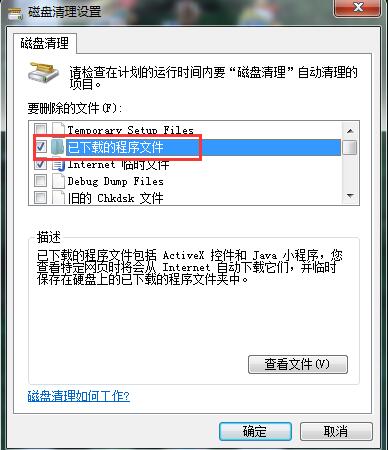
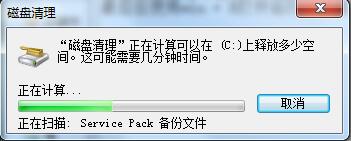
Win7 內建「磁碟清理」功能強大,但每次都要勾選項目很麻煩。用指令預設清理項目,以後執行單一指令即可完成清理。
cleanmgr /sageset:99
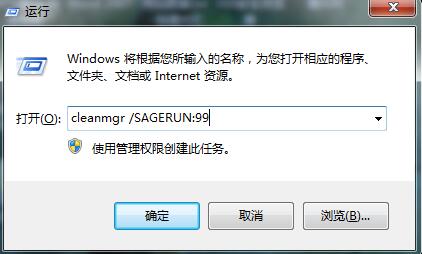
cleanmgr /SAGERUN:99
亦可建立 `.bat` 批次檔雙擊執行,或加入排程工作定期自動清理。
Win10 Redstone 概念設計曝光:互動式動態磚、標籤式檔案總管、透明磚
WinXP 裝置管理器空白無法管理硬體?Plug And Play 服務未啟動,一鍵修復教程
Windows 7 記事本字體更換教學:推薦 Consolas 等寬字體提升程式碼閱讀體驗
Win10 開機啟動項太多怎麼優化?任務管理器、啟動文件夾、注冊表全方位管理
WinXP/Win7 桌面捷徑圖示全變「未知圖示」?兩大修復法快速恢復
Win10 正式版 Edge 瀏覽器收藏夾在哪裡?本地路徑完整公開
Windows 10 升級預約怎麼取消?徹底移除升級圖示三步驟
Win8.1 無法執行 Office 2016?兩大核心解決方案快速修復