Windows 7 自動更新失敗且錯誤代碼相同(如 8007000E、8024402F),通常為更新元件損壞。解決方法:查看失敗代碼 → 微軟官網下載對應獨立修補程式(.msu)手動安裝 → 重新檢查更新。
操作步驟
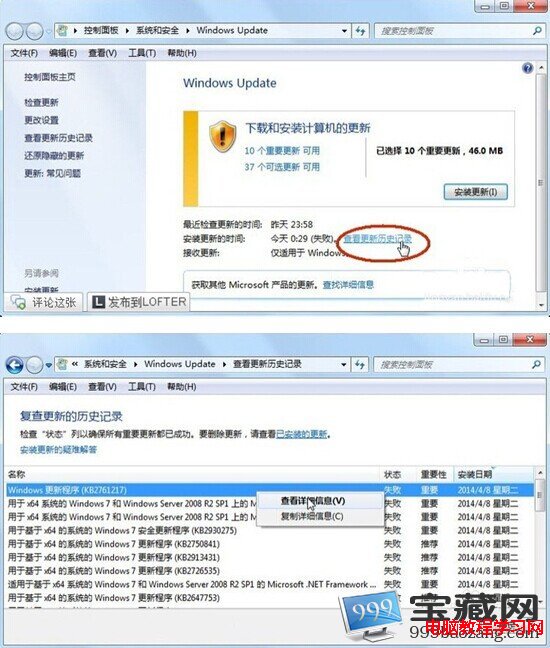
- 「控制台」 → 「系統與安全性」 → 「Windows Update」 → 「檢視更新歷程」 → 點選失敗項目「詳細資訊」記錄錯誤代碼。
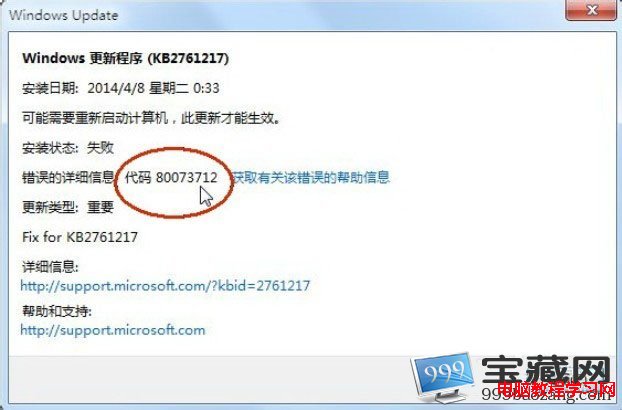
- 至 Microsoft Update Catalog (catalog.update.microsoft.com) 搜尋錯誤代碼或 KB 號,下載對應版本(x86/x64)的 .msu 檔案。
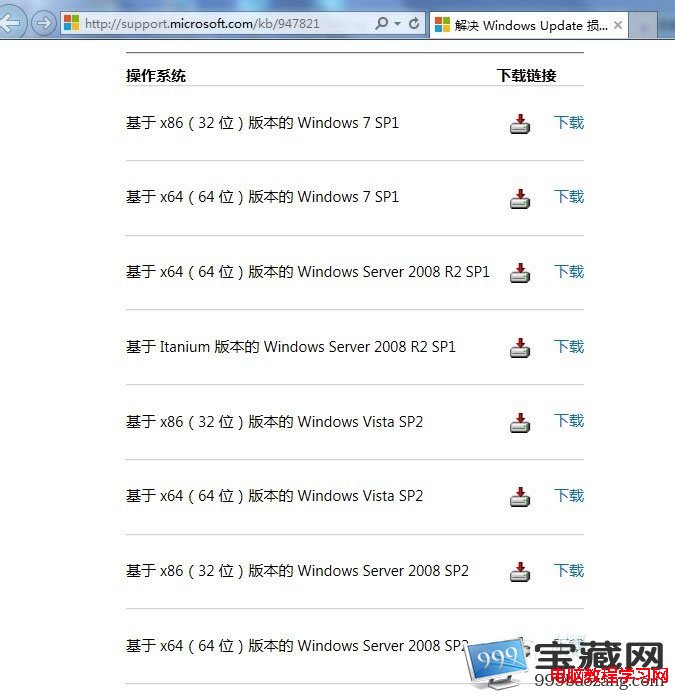
- 雙擊 .msu 安裝(過程較慢請耐心等待,勿點取消) → 顯示「安裝完成」 → 關閉 → 重新執行 Windows Update 檢查。
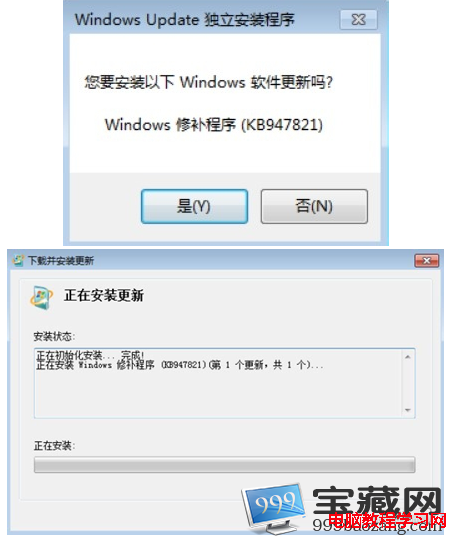
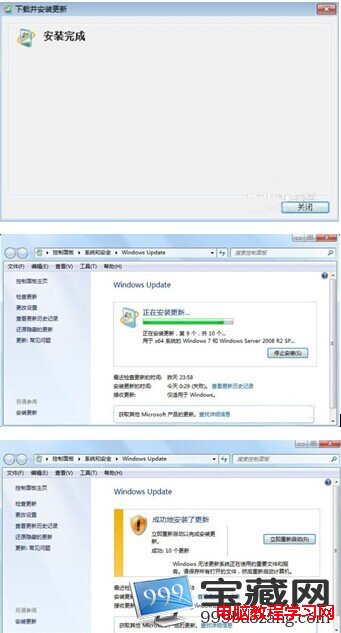
此法繞過 Windows Update 元件直接安裝修補程式,成功率極高。建議定期關注微軟安全公告,手動安裝關鍵更新。