升級 Win10 後常見應用程式商店或 Modern 應用無法啟動、閃退。提供三種針對性修復方案,按順序嘗試通常可解決。
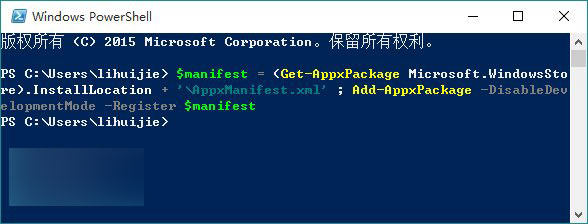
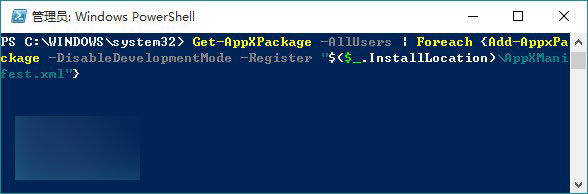
$manifest = (Get-AppxPackage Microsoft.WindowsStore).InstallLocation + '\AppxManifest.xml' ; Add-AppxPackage -DisableDevelopmentMode -Register $manifestGet-AppXPackage -AllUsers | Foreach {Add-AppxPackage -DisableDevelopmentMode -Register "$($_.InstallLocation)\AppxManifest.xml"}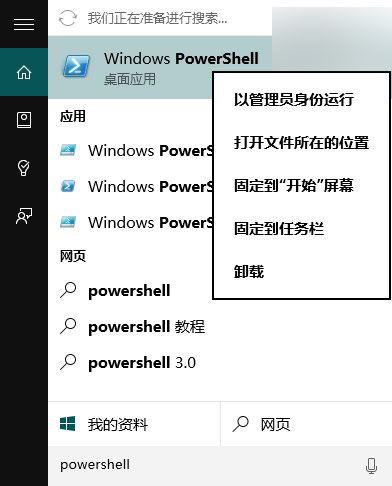
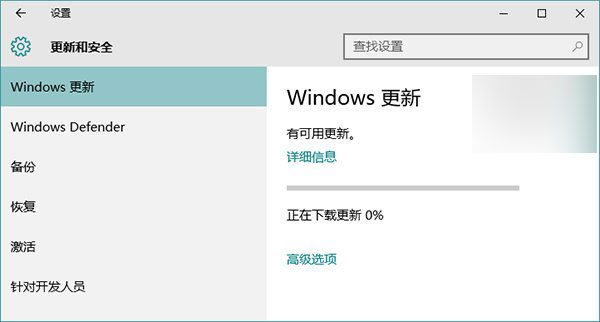
設定 → 更新與安全性 → Windows Update,安裝所有偵測到的更新(含驅動與應用修補程式)。
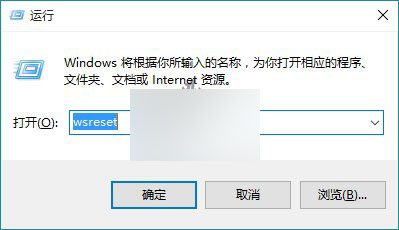
Win+R → 輸入 wsreset → Enter,自動清除商店快取並重啟商店。
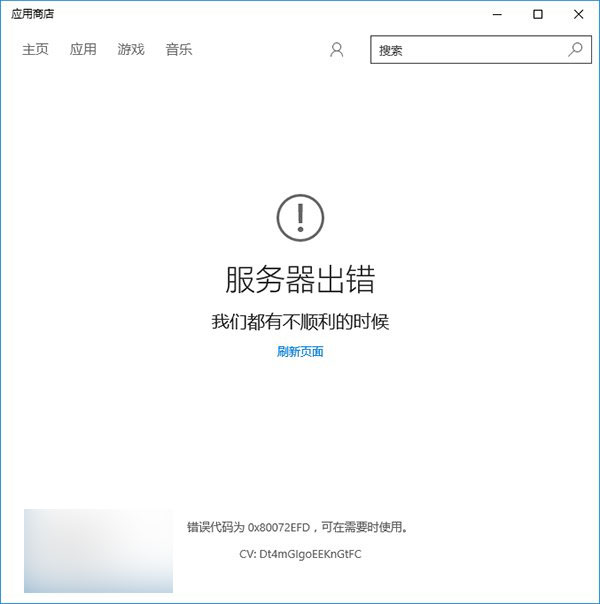
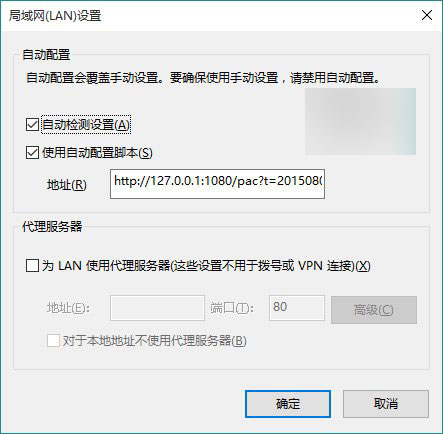
商店提示「伺服器發生錯誤」代碼 0x80072EFD,通常因 IE 啟用 Proxy。解法:IE → 網際網路選項 → 連線 → LAN 設定 → 取消「為 LAN 使用 Proxy 伺服器」。
以上方法無法解決 100% 情況,若仍失敗請嘗試建立新使用者帳號或重置系統。