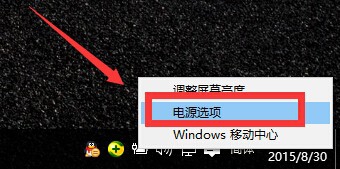
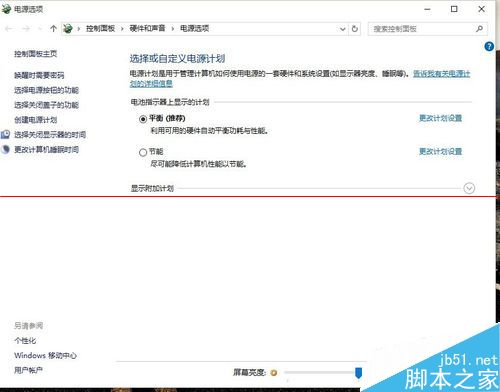
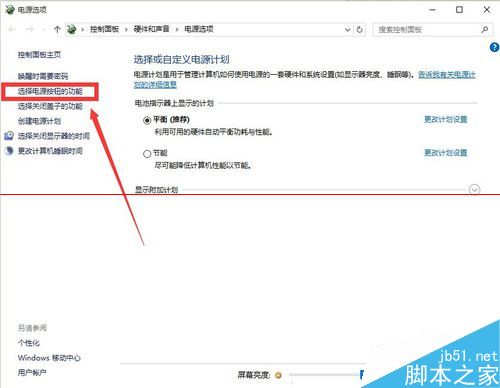
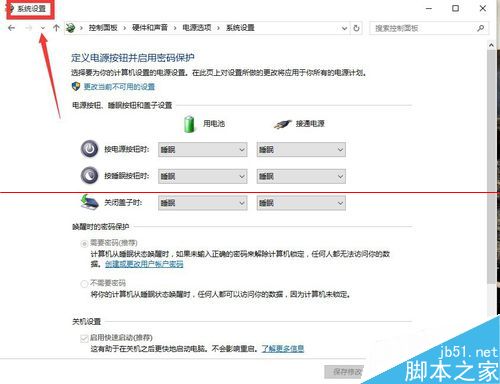
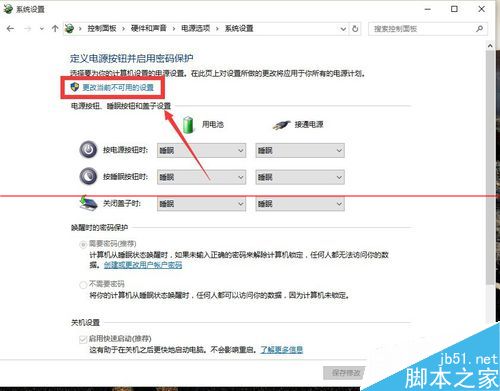
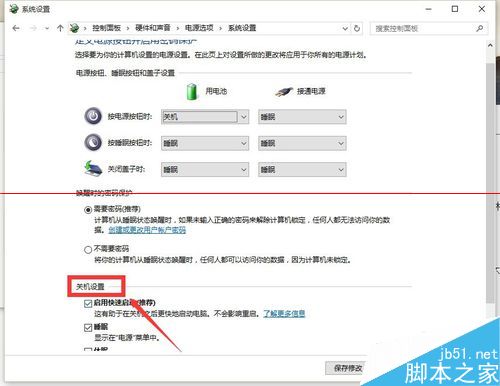
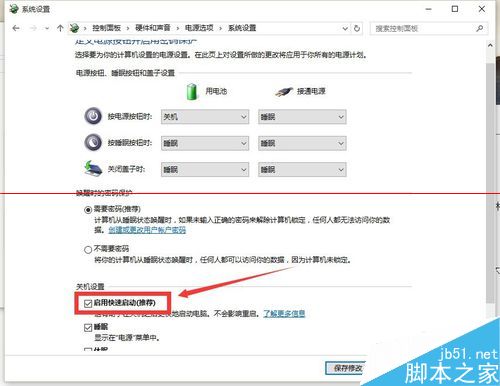
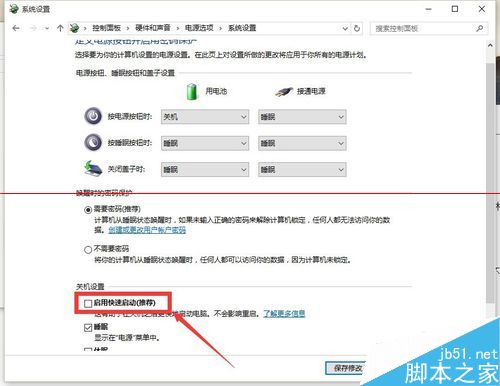
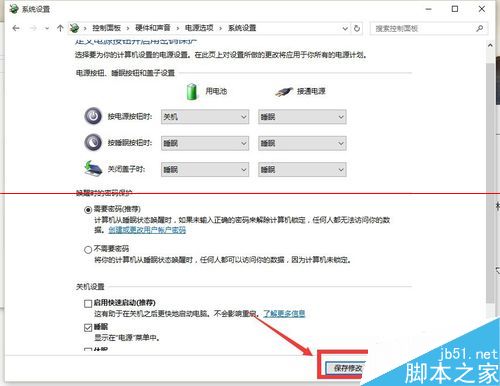
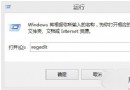
Win10 升級後每次開機需重啟一次纔能輸入密碼,微軟官方提示可能由「快速啟動」導致。解決步驟:
相關推薦: KB3081424 導致重啟 Bug | 定時重啟設置 | Win7 升級 99% 藍屏 | 安裝無限重啟 | 自動關機重啟排查
Windows 10 以系統管理員身分開啟命令提示字元三大法:Win+X+A、Win+X 選單、開始選單搜尋
Win8 與 Win10 八大核心差異深度解析
Win10 如何忘記/刪除已儲存的 Wi-Fi 密碼?重新連線輸入新密碼完整教學
Win7 開啟 IE 提示「已停用的增益集,網頁內容無法顯示」?兩步驟修復捷徑參數錯誤
Win10 Realtek HD Audio 更新失敗?關閉 UAC 即可解決
Win10 如何連接網路印表機?兩種方法圖文教學 (推薦第二種)
Windows 7 聲音卡驅動安裝失敗完整修復:驅動人生配合手動替換檔案
Win10 取消自動更新:登錄表 RecoveredFrom 封鎖特定版本號升級