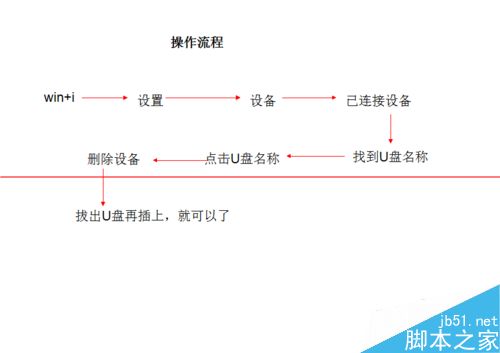
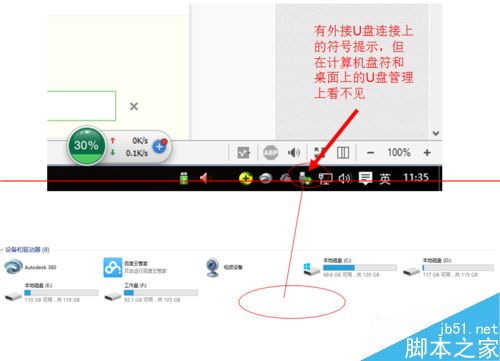
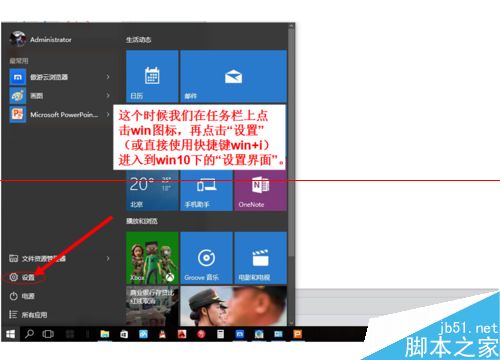
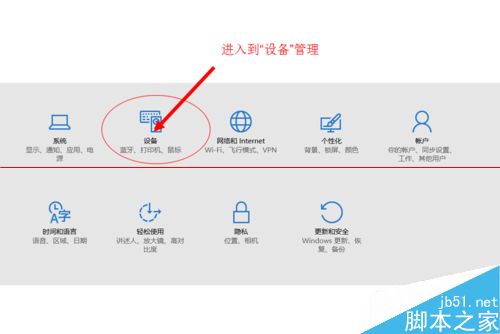
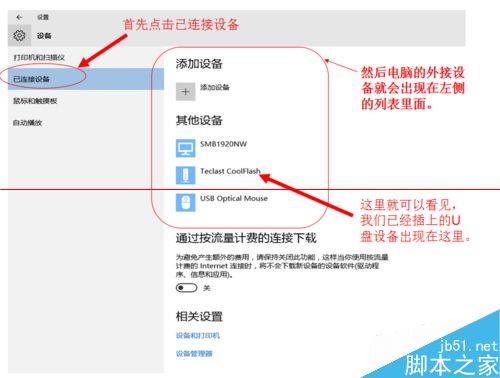
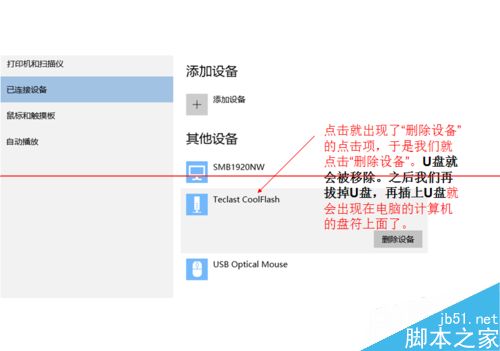
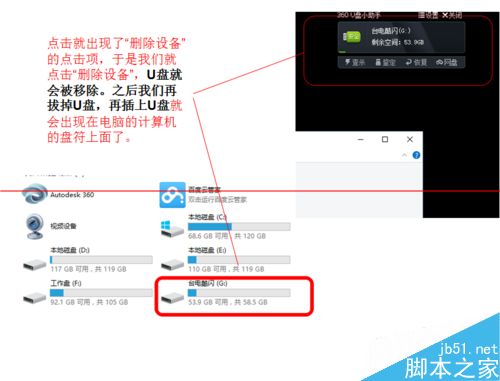
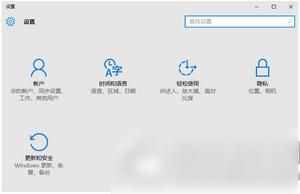
U 盤插入後任務欄顯示已連接,但「此電腦」無盤符、U 盤管理器不見。Win10 解決法:
適用場景: 僅針對 U 盤已連接但盤符不顯示,其他故障請另行排查。
蘿蔔家園 Windows 7 強制關機後無法開機?三種修復方案
Windows 7 關閉休眠功能釋放 C 槽空間:CMD 指令一鍵關閉休眠
升級 Win10 後蘋果電腦更新 BootCamp 提示「找不到 MSI 源檔案」解決方案
Win10 Build 10151 中文預覽版演示影片與截圖曝光:新手機助手、介面更完善
忘記 XP 開機密碼?無光碟也能用 CMD 離線修改登錄破解
Win10 聲音忽大忽小怎麼辦?用驅動人生修復聲卡驅動
Windows Server 2008 進階防火牆完整設定指南
Win10 應用商店閃退/無法開啟?DISM 掃描修復或 PowerShell 重裝兩大招