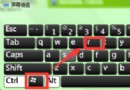
Windows 7 休眠功能會在硬碟建立 hiberfil.sys 檔案,大小約等於實體記憶體容量(如 8GB 記憶體佔用 8GB C 槽空間)。若不使用休眠,可透過命令提示字元關閉以釋放空間。
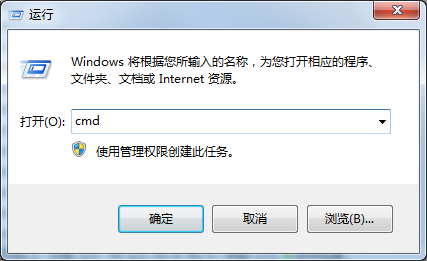
cmd,右鍵「cmd.exe」選擇「以系統管理員身分執行」。powercfg -h offhiberfil.sys 檔案會自動刪除,C 槽空間即時釋放。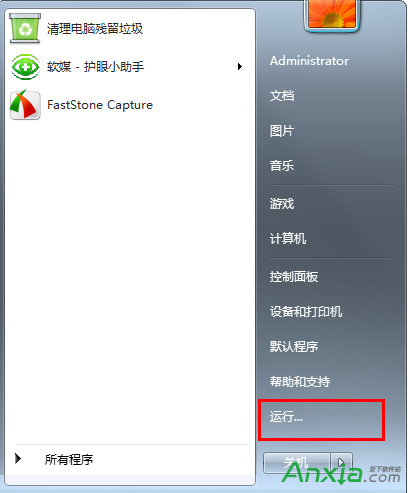
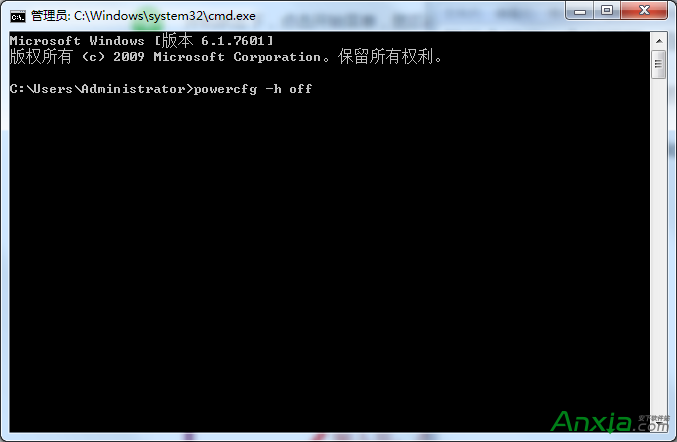
補充: 若日後需恢復休眠,同樣以管理員身分執行 powercfg -h on 即可。關閉休眠不影響「睡眠」功能。
WinXP 修改副檔名導致檔案無法開啟?啟用「隱藏已知檔案類型副檔名」即可解決
解決網頁版 OneDrive 無法登入:使用軟媒魔方修改 Hosts 檔案,新增 onedrive.live.com 等解析記錄
Windows 10 Build 10151 簡體中文版洩露:多圖搶先預覽新功能
Windows 10 透過登錄檔 SpecialColor 設定任意主題色彩 (ABGR 格式)
Win10 新版本 Insider Hub 消失怎麼加回:設定 → 系統 → 應用程式與功能 → 管理選用功能 → 新增 Insider Hub
Win8 利用「檔案歷程記錄」還原誤刪檔案?開啟備份與還原教學
Win10 Mobile 預覽版上手體驗影片:Joe Belfiore 示範新介面、通知中心、互動通知、Mobile Office、Spartan 瀏覽器、OneDrive 同步