提醒:需準備帶 PE 功能的 USB 启动盘。
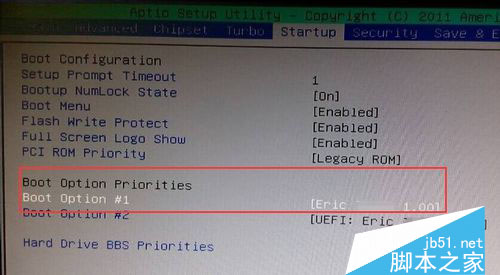
- 插入 PE U盤,進 BIOS 設置 U盤啟動,保存退出。
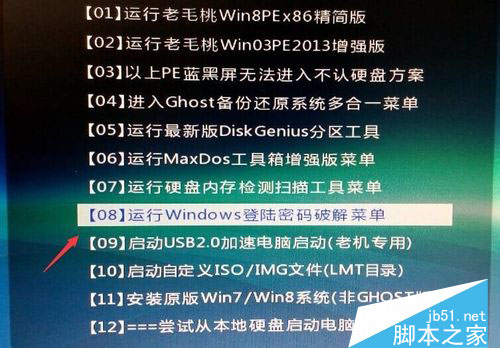
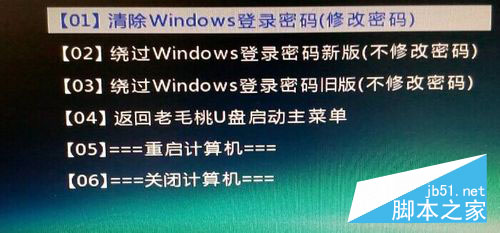
- 進入 PE 界面,選擇「Windows 登陸密碼破解」→「01 清除 Windows 登陸密碼」。
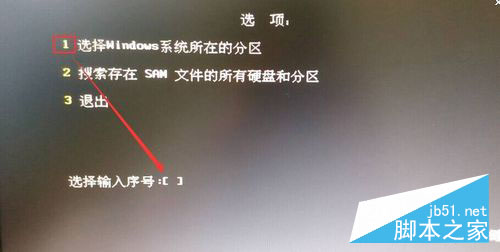
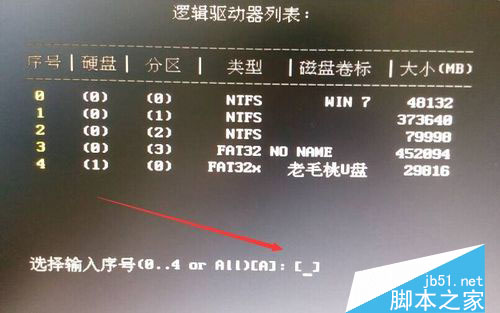
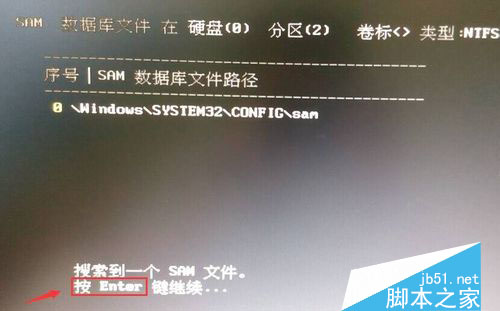
- 知道 Win10 安裝盤符選 1,不知選 2 → 回車;選擇系統盤 → 輸入序號 → 回車;等待搜索 SAM 文件完成 → 回車。
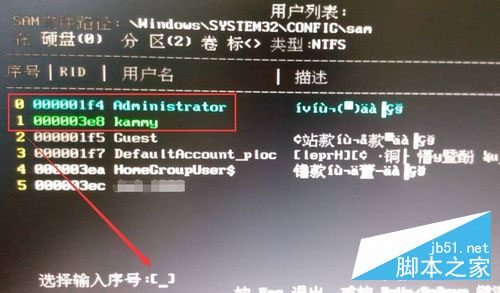
- 查看用戶列表,輸入目標用戶序號 → 回車 → 再按 Y 確認清除。
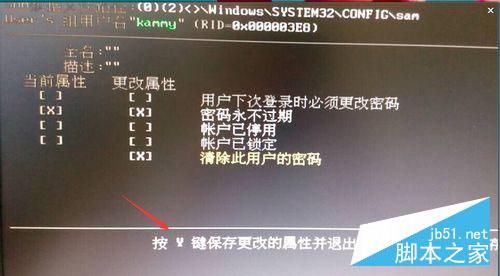
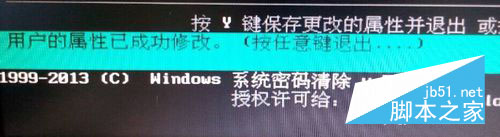
- 提示「用戶屬性已成功修改」,按任意鍵退出 → 重啟電腦。
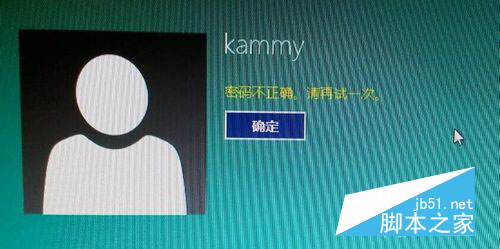
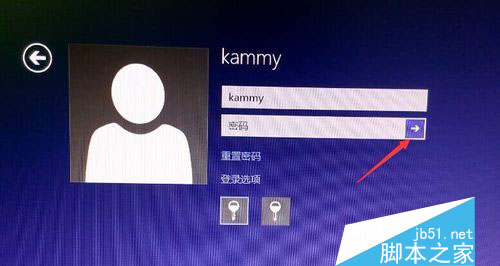
- 重啟至登錄界面,不輸入密碼直接點擊箭頭(或回車)即可進入系統。
此法適用於本地賬戶密碼清除,微軟賬戶密碼請用官方重置頁面。