桌面圖示過多難以尋找?Windows 7 內建快速鍵功能,讓您一鍵啟動常用軟體,無需第三方工具。
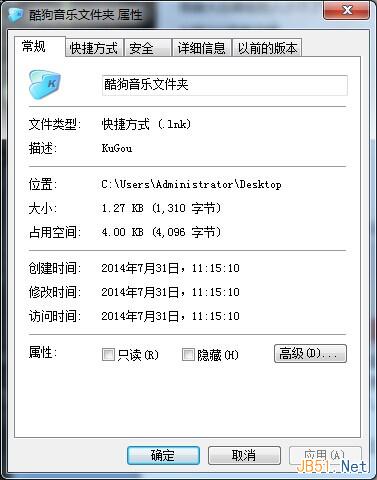
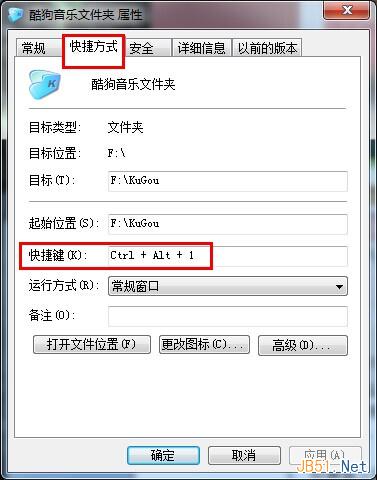
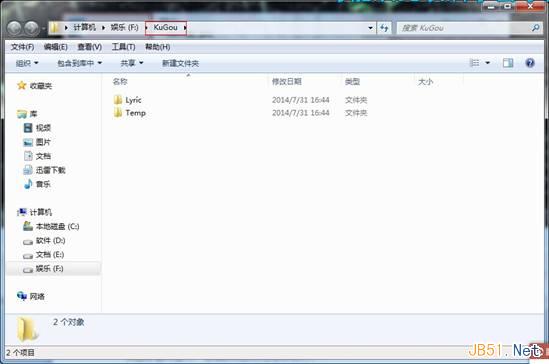
之後直接按下設定的快速鍵即可啟動程式,大幅提升效率。
YoGa 筆電 Win8 Metro 版 IE10 閃退修復:關閉 IE10 功能再重新啟用
Win8 無法連線路由器?更新無線網卡驅動、執行 sfc/scannow 修復系統檔案
WindowsApps 資料夾無法開啟?Win8 取得權限完整教學:顯示隱藏 → 安全性 → 進階 → 變更擁有者 → 編輯權限
超實用!Windows 10 全新快捷鍵大全:虛擬桌面、小娜、遊戲錄製一鍵搞定
Windows 7 調整滑鼠靈敏度:個人化/控制台雙管道,遊戲玩家依偏好微調
ThinkPad X61 (1GB 記憶體) 安裝 Win10 實測:開機 15 秒、Cortana 可用、但進入系統初期嚴重卡頓