Win10 內置計算器、天氣、郵件、Edge 等應用偶發故障,且無法通過常規方式卸載重裝。實際上,一條 PowerShell 命令即可批量重註冊所有內置應用:
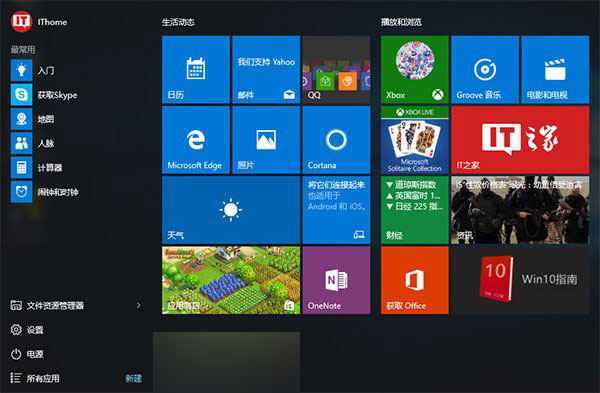
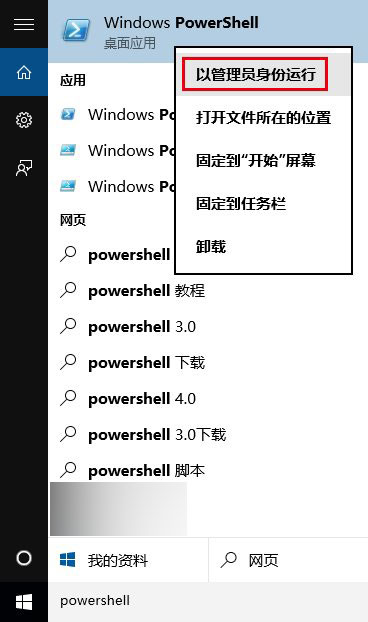
Get-AppxPackage -AllUsers | Foreach {Add-AppxPackage -DisableDevelopmentMode -Register "$($_.InstallLocation)\AppXManifest.xml"}
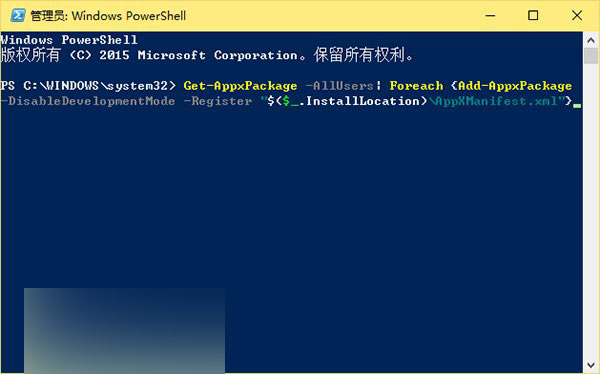
執行後所有內置應用恢復初始狀態,使用中產生的各類問題通常均可解決。
Win8 應用程式無法開啟/無回應?罪魁禍首可能是注音/倉頡輸入法相容性問題
Windows 7 虛擬機建立 Win7 虛擬環境:使用 Windows Virtual PC 完整教學
Win10 新瀏覽器 Project Spartan 曝光:全新渲染引擎 EdgeHTML 取代 Trident,IE 保留相容企業舊站
Win10 IoT 核心預覽版更新包下載:支援 Raspberry Pi 2、MinnowBoard MAX
Win7 限制網卡速率教學:將頻寬鎖定 10Mbps 全雙工,保障區域網公平用網
Win8 更新 KB3045999 導致 VirtualBox 無法啟動?移除更新即可恢復