Windows XP Windows 7 Windows 2003 Windows Vista Windows 綜合教學 Linux 系統教學
Windows 10 Windows 8 Windows 2008 Windows NT Windows Server 電腦軟體教學
您现在的位置: Windows教程網 >> Windows教程 >  >> Windows 綜合教學 >> 關於 Windows

Win10 桌面使用「英雄」動態壁紙:第三方工具 DeskScapes 8 讓預設壁紙動起來

編輯:關於 Windows

Win10 預設「英雄」壁紙在宣傳片為動態,正式版僅靜態。使用 DeskScapes 8 可載入動態版本:

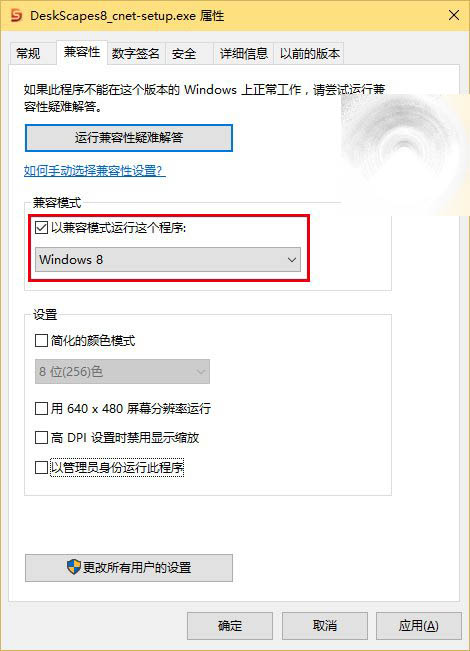
  1. 下載 DeskScapes 8 安裝檔(百度網盤),右鍵內容→「相容性」→ 勾選「以相容模式執行」選「Windows 8」→ 安裝。
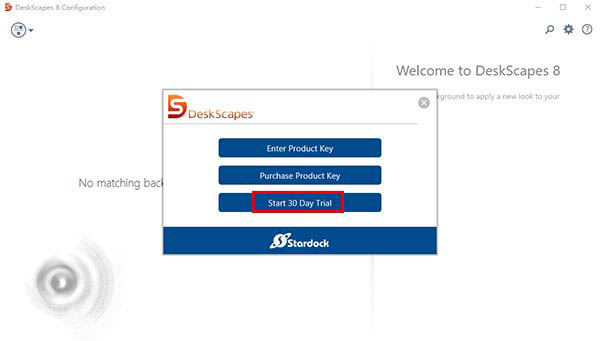
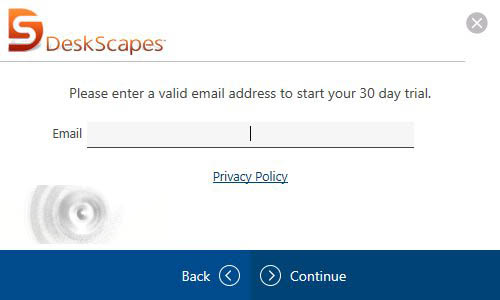
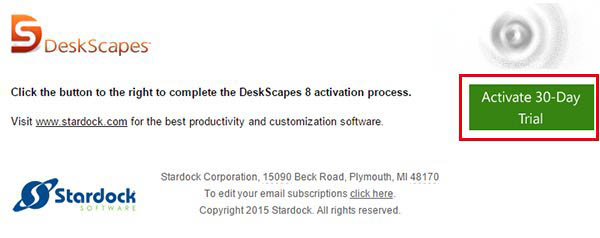
  2. 安裝時取消勾選推薦軟體,啟動選「Start 30 Day Trial」,填寫信箱啟用試用。
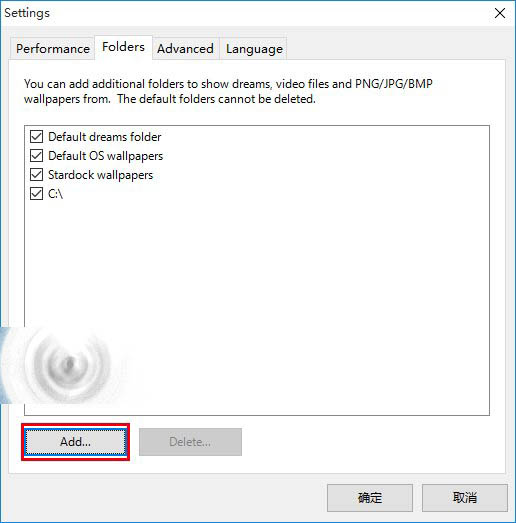
  3. 下載「英雄」動態壁紙檔(百度網盤),在 DeskScapes 設定→「Folders」→「Add」加入壁紙資料夾路徑。
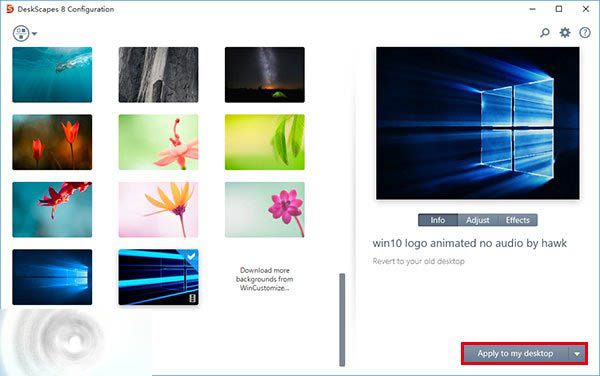
  4. 左側列表選中「英雄」動態壁紙,點右下「Apply to my desktop」套用。
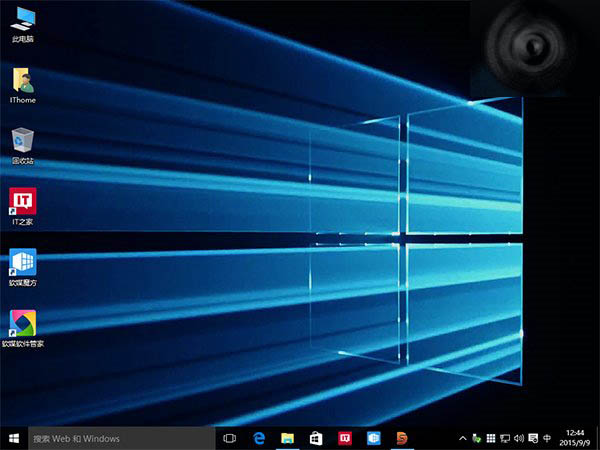
英雄動態壁紙效果截圖 以Win8相容模式安裝 選擇30天試用 填寫信箱啟用 收到啟用郵件 添加動態壁紙資料夾路徑 套用英雄動態壁紙

相關推薦:Win10 全新壁紙下載不只英雄。

Copyright © Windows教程網 All Rights Reserved