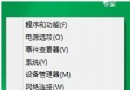
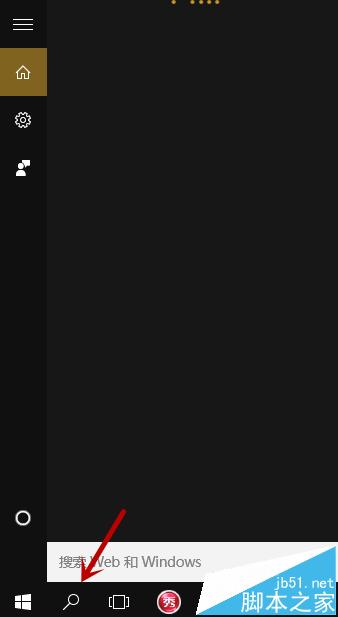
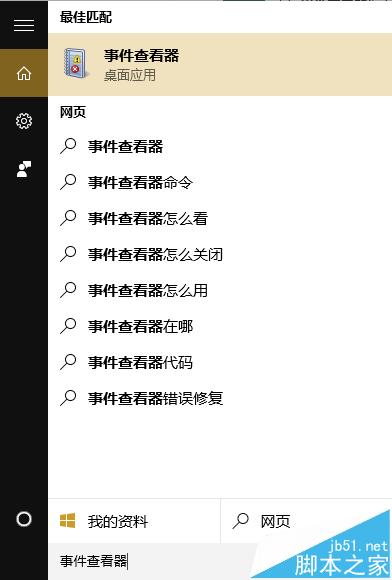
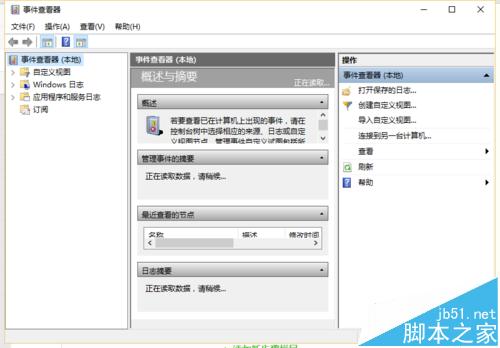
事件檢視器是系統管理、疑難排解必備工具,記錄系統、應用程式、安全性等事件日誌。Win10 下有兩種最快開啟方式。
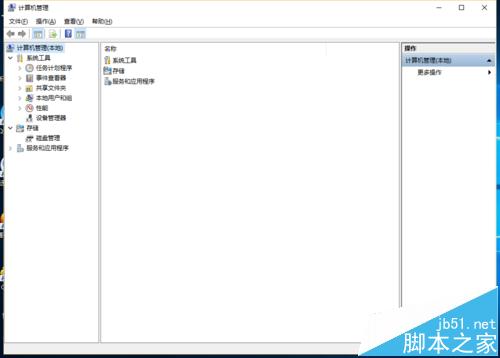
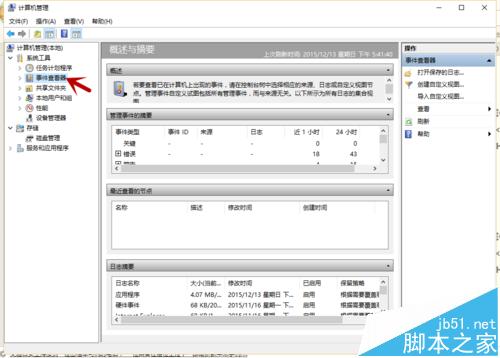
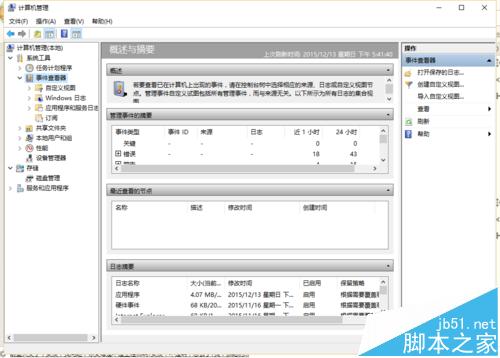
延伸閱讀: Win10 系統上使用事件檢視器解決實際問題
Win10 開啟數學輸入面板快速輸入公式方程式:開始選單與執行指令 mip 兩法
Win7 64位 提高鼠標精準度:啟用「提高指針精確度」選項
Windows 10 自訂視窗顏色隱藏技巧:執行「Control Color」喚出傳統「色彩與外觀」對話框,可自由調配色相、飽和度、亮度
Win10 修改系統日期時間?關閉自動對時後手動調整,並確保 Windows Time 服務啟動
太驚人!Windows 10 兒童帳號預設會將青少年上網紀錄郵寄給家長:含瀏覽網站、使用時長、應用偏好
Win10 移除桌面捷徑小箭頭三大法:修改登錄檔、IE 拖曳法、第三方工具 (魔方)