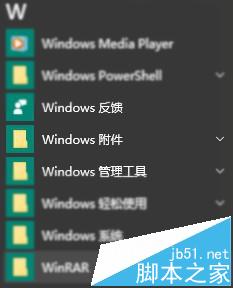
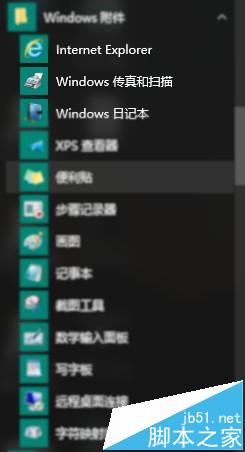
Windows 10 內建「Windows 傳真與掃描」應用程式,可直接操作掃描儀進行文件或照片掃描。以下是快速找到並開啟的方法:
Windows XP 修改登錄偽裝為 POSReady 2009 繼續接收安全更新至 2019 年
Win10 無法開啟 .exe/.chm 電子書?解除鎖定、檢查路徑特殊字元、7-Zip 解壓替代方案
Win7 關機緩慢提示「程式仍在執行」?註冊表設定自動結束任務
Win7 用 QQ 調試攝影機,免安裝廠商軟體快速預覽畫面
Win7 開機藍屏 0xC0000225 八大解法:驅動/病毒/硬盤/內存/系統修復全覆蓋
Win8 啟用系統內建「數學輸入面板」手寫公式功能
Win10 IE 瀏覽器頻繁假死卡頓?清理快取 + 重置 Winsock 徹底解決
Win7 解決「Windows 無法在此電腦上設定家用群組」雙重修復法