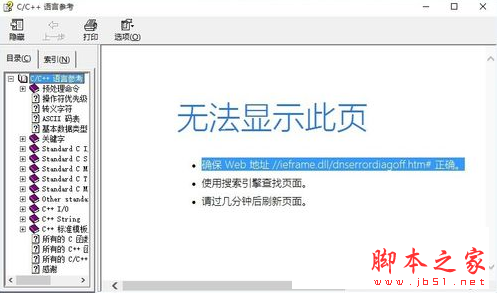
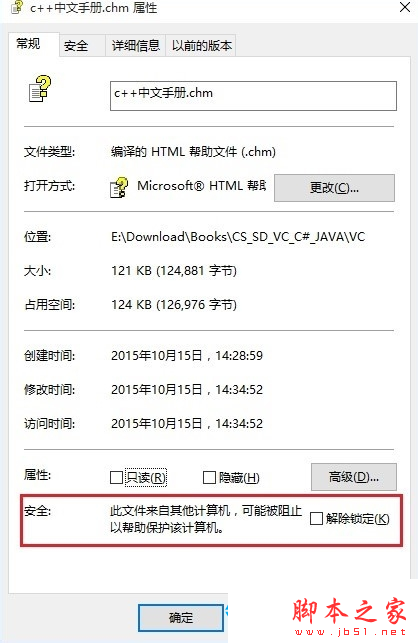
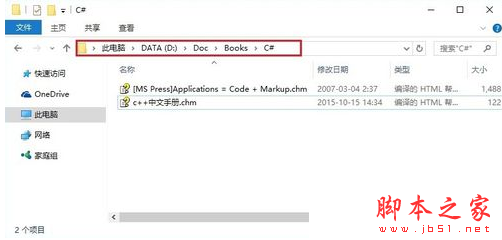
Win10 開啟 .exe 或 .chm 格式電子書點擊目錄顯示「無法顯示此頁」,三大原因與解法:
#
Win 7/8.1 免費升級啟用 Win 10 正式版三種方法圖文詳解
Classic Shell 讓 Windows 8 找回經典開始選單 + 工具列替代方案
Windows CMD 常用指令大全:系統管理、網路、磁碟、檔案操作速查表
Win10 預覽版 10565 官方 ISO 鏡像下載彙總 (32/64 位)
微軟 10 月安全更新:3 項嚴重級漏洞修補,含 IE 累積更新、.NET Framework、核心模式驅動程式
Win10 如何建立 PIN 碼登入?取代密碼、免按 Enter、更快速安全
免產品金鑰安裝體驗 Windows 10 正式版技巧:功能無限制試用
Win7與XP雙系統安裝在同一C槽:修改XP安裝路徑避免檔案覆蓋完整教學