Windows XP Windows 7 Windows 2003 Windows Vista Windows 綜合教學 Linux 系統教學
Windows 10 Windows 8 Windows 2008 Windows NT Windows Server 電腦軟體教學
您现在的位置: Windows教程網 >> Windows教程 >  >> Windows 綜合教學 >> 關於 Windows

Win10 更新 KB3122947 報錯 0x80070643?DISM 指令自動安裝離線套件解決

編輯:關於 Windows

Win10 TH2 安裝 KB3122947 累積更新時出現 0x80070643 錯誤 (安裝階段失敗),最有效解法為使用 DISM 指令直接安裝已下載的離線套件,無需手動尋找路徑。

解決指令

  1. 右鍵「開始」→ 「命令提示字元 (系統管理員)」。
  2. 輸入以下指令 (複製貼上) 並按 Enter:
for /F "tokens=*" %F in ('dir %windir%\SoftwareDistribution\Download\*3122947* /s /b') do ( dism /online /add-package /packagepath:"%F" )

說明:指令會自動搜尋 SoftwareDistribution\Download 下含 3122947 關鍵字的資料夾內套件,逐一以 DISM 安裝。若為其他補丁,將 3122947 替換為對應 KB 編號即可通用。
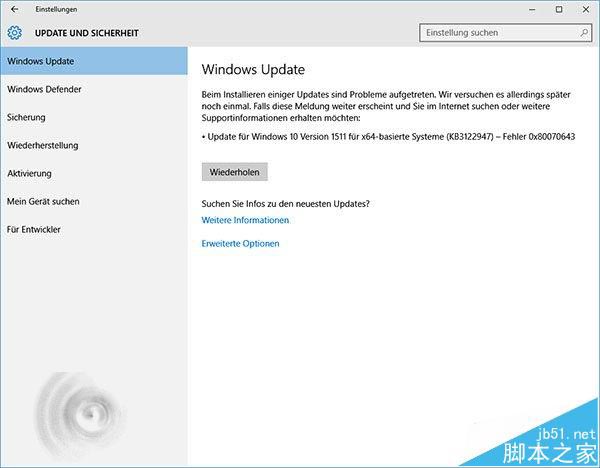

操作示意

錯誤 0x80070643

相關推薦

  • Win10 更新 KB3133431 主要修復 KB3132372 引起的 Flash 當機
  • Win7/8.1 更新兩枚新補丁 KB3112336、KB3112343 協助升級 Win10
Copyright © Windows教程網 All Rights Reserved