Windows XP Windows 7 Windows 2003 Windows Vista Windows 綜合教學 Linux 系統教學
Windows 10 Windows 8 Windows 2008 Windows NT Windows Server 電腦軟體教學
您现在的位置: Windows教程網 >> Windows教程 >  >> Windows 綜合教學 >> 關於 Windows

重開機後 Win10 強制升級仍在執行?KB3035583 每天自檢兩次,徹底移除教學

編輯:關於 Windows

微軟將 KB3035583 更新補丁加入新背景工作,每天自動重置升級旗標並重啟「取得 Windows 10」應用程式,導致使用者刪除圖示後重開機又出現。以下為徹底阻擋方法:

機制說明

  • KB3035583 安裝後建立排程工作,每 12 小時執行一次,將登錄機碼 AllowOSUpgrade 重置為 1,並重新安裝 GWX 應用程式。
  • 即使使用者手動修改登錄或刪除 GWX 資料夾,12 小時後即會恢復。

徹底解決方案

  1. 解除安裝 KB3035583:
    • 「控制台」→「程式和功能」→「檢視已安裝的更新」→ 找到 KB3035583 → 右鍵「解除安裝」。
  2. 修改登錄永久關閉升級:
    • Win+R → regedit。
    • 定位 HKLM\SOFTWARE\Policies\Microsoft\Windows\WindowsUpdate。
    • 右鍵新建 DWORD (32-bit) DisableOSUpgrade,值設為 1。
  3. 關閉 GWX 升級通知 (可選):
    • 定位 HKLM\Software\Microsoft\Windows\CurrentVersion\WindowsUpdate\OSUpgrade。
    • 找到或新建 DWORD ReservationsAllowed,值設為 0。

替代工具

使用第三方工具 GWX Control Panel (免費開源) 一鍵停用升級、移除 GWX、封鎖 KB3035583,介面友善適合一般使用者。

長期策略

微軟未來更新可能繞過現有阻擋,建議定期檢查 Windows Update 內容,若發現新升級相關補丁 (關鍵字:Windows 10, GWX, Upgrade) 立即隱藏或解除安裝。
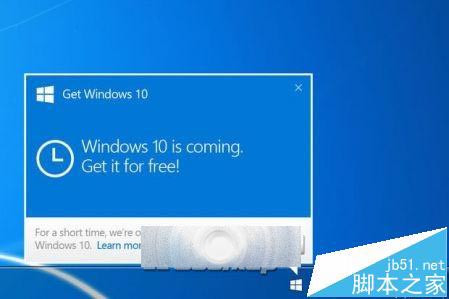
KB3035583

相關推薦

  • Win10 升級提示圖示四種關閉方法
  • 電腦右下角 Win10 免費升級提示圖示如何刪除?
  • Win10 取消強制升級 Win7/Win8.1 用戶可隨意選擇
Copyright © Windows教程網 All Rights Reserved