Windows 7 內建 shutdown 指令即可輕鬆排程自動關機,無需複雜的任務排程器設定。
shutdown -s -t 秒數
-s:關機-t:倒數秒數(預設 30 秒)| 欲關機時間 | 秒數 | 指令範例 |
|---|---|---|
| 1 小時 | 3600 | |
| 2 小時 | 7200shutdown -s -t 7200 | |
| 3.5 小時 | 12600 | |
| 5 小時 | 18000 |
cmd 開啟命令提示字元。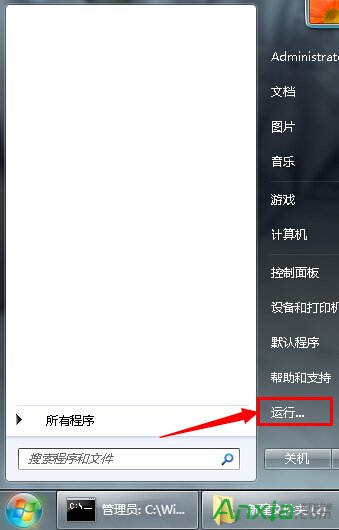
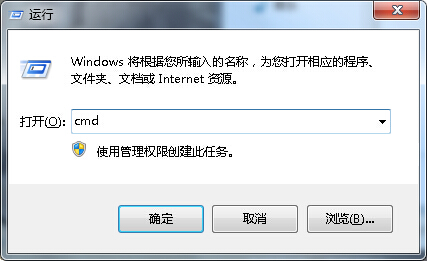
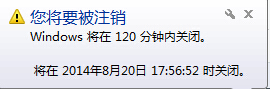
shutdown -s -t 7200),按 Enter。右下角彈出提示「Windows 將在 120 分鐘內關閉」。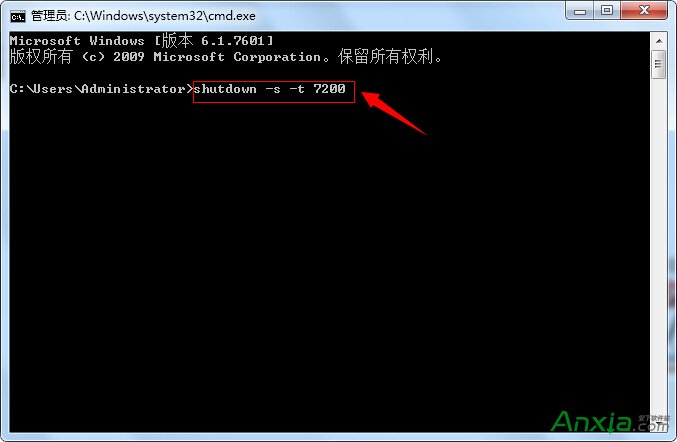
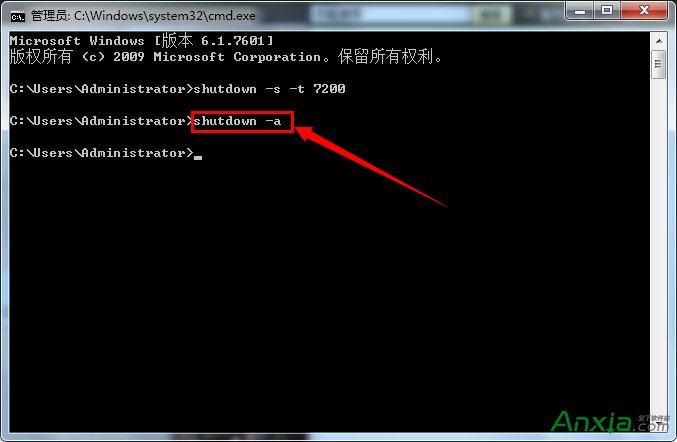
在 CMD 輸入 shutdown -a 按 Enter,右下角提示「已取消排程關機」。

若需循環排程(如每天固定時間),再使用任務排程器較適合。
微軟內部測試四個 Win10 Redstone 版本 (11065/11073/11078/11082),預計 2016 年 1-2 月推送首波預覽
Windows 10 仍需改進的 7 大痛點:檔案總管缺分頁、設定與控制台分裂、開始選單客製化不足...
XP 系統 VMware Workstation 跑虛擬機報「內部錯誤」?以系統管理員身分執行即可解決
Win8 F1 無法開啟說明與支援?改用 Win+F 搜尋 winhlp32 替代方案
Windows 如何遠端登入 Linux 桌面?TigerVNC 完整教學