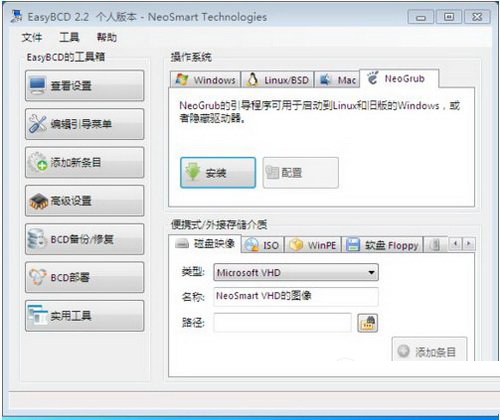
Fedora 23 是功能完備、更新快速的免費 Linux 發行版,適合開發者與進階用戶。本文教學在 Win7 環境下,使用 EasyBCD 引導從硬碟安裝 Fedora 23。
menu.lst 原始碼並儲存:title install fedora 23
root (hd1,0)
kernel /isolinux/vmlinuz0 root=live:/dev/sdb1 rootfstype=auto ro rd.live.image quiet
initrd /isolinux/initrd0.img
boot(hd1,0) 改為 (hd0,X)(X 為分區編號,D 槽為 4 以此類推),sdb1 改為 sda(X+1)。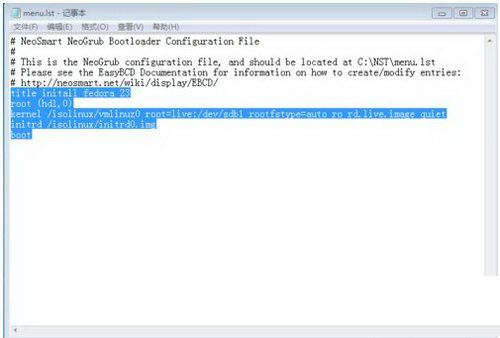
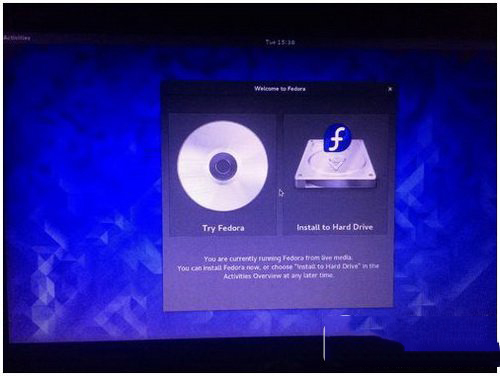
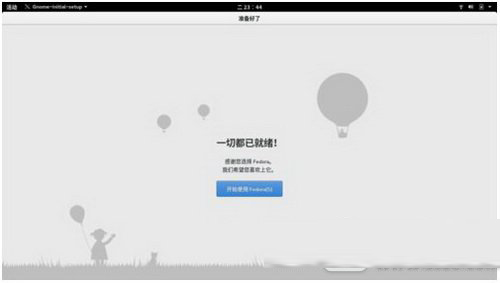
具體安裝步驟與注意事項與舊版本大同小異,不再贅述。更多 Linux 安裝教學請關注本站!
Win10 本月推送企業級新功能給 Insider:EDP 加密、Microsoft Passport、企業應用商店
Windows Server 2003 實現單用戶遠端桌面 (Console 模式) 連線:依客戶端版本加參數
海爾筆電 U 盤重裝 Win7 系統完整圖文教學:U極速啟動盤製作、GHOST 映像部署、BIOS 設定與驅動安裝
Win7 藍屏錯誤代碼 0x00000116 atikmpag.sys?更新顯卡驅動或替換系統檔案修復
Windows XP/7/8 顯示隱藏檔案與系統隱藏檔案:資料夾選項設定圖文教學