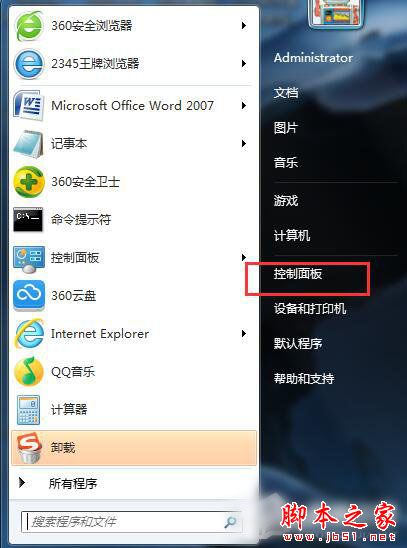
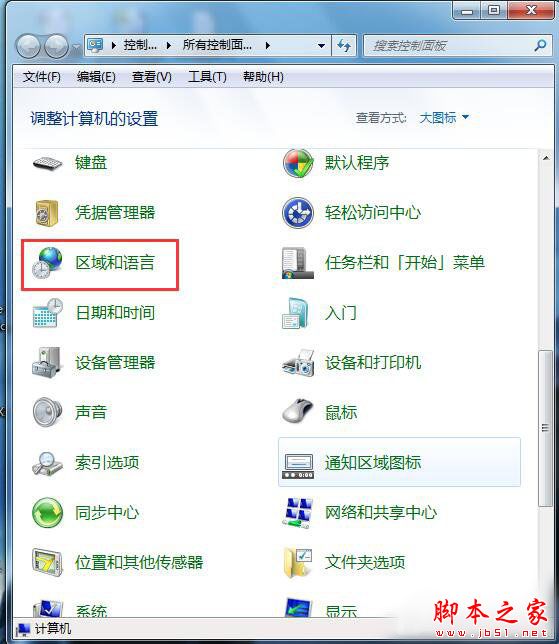
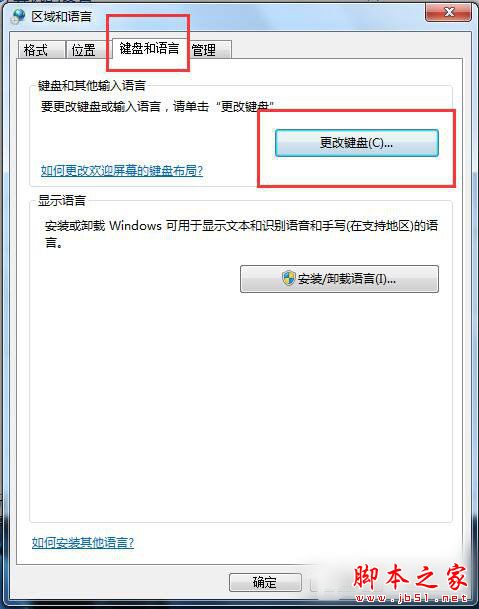
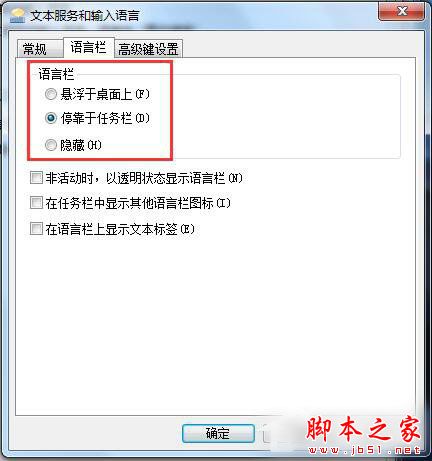
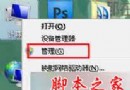
Win7 語言列消失或想調整顯示模式?控制台「地區與語言」裡的「語言列」頁籤提供三種模式切換,一鍵找回。
語言列不見別慌,按步驟操作秒恢復。
Windows 7 刪除檔案提示「找不到項目」?批次檔強制刪除法
Windows 7 照片檢視器支援 GIF 動畫播放設定教學
Win8/Win8.1 存取共享印表機提示「輸入網路認證」0x00000709 解決法:帳號加 \Administrator、重啟 Print Spooler
如何使用 Windows 7 內建虛擬機 (Windows Virtual PC) 安裝 XP/Win7 虛擬系統
Win10 視覺效果如何自訂?效能選項中勾選所需動畫與陰影打造順暢體驗
Win8 圖片庫新增照片教學:透過庫屬性輕鬆納入自訂資料夾
Win10 應用程式商店錯誤 0x800706d9 解決:檢查防火牆服務、取消 IE 代理設定、重試下載
XP 開機自動彈出瀏覽器廣告視窗?登錄刪除 Winlogon 下非預設值清除掛馬啟動項