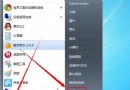
Win7 設定開機密碼提示「Windows 無法變更密碼」,解決方法:
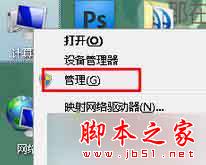
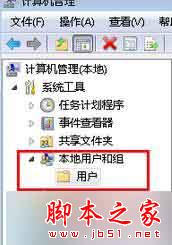
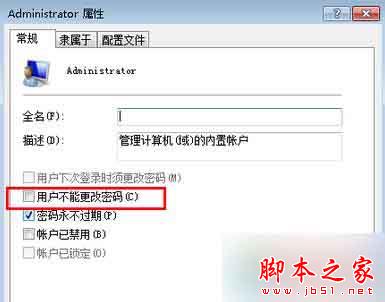
三步驟即可解決 Win7 設定開機密碼提示「Windows 無法變更密碼」問題。
Win10 14251 打開群組原則/服務顯示空白並報腳本錯誤?切換至標準檢視暫時解決
Win10 專業版將資料夾固定到工作列/工具列:兩種方法完整教學
Win10 如何關閉使用者帳戶控制 (UAC)?取消彈出提示完整教學
Win10 更新下載卡在 0% 解決方案:重啟 Wuauserv 服務
Win10 桌面背景變黑無法設定?開啟「顯示 Windows 背景」即可恢復
Windows 10 開始選單寬度與高度自由調整教學:滑鼠拖曳邊緣即可自訂大小,升級與全新安裝預設佈局不同
Win10 改用 Microsoft 帳戶登入後頻繁閃退/應用無法開啟?調整 UAC 通知層級 → 重新切換 Microsoft 帳戶 → 設定免密碼登入
升級 Win10 後 C 槽空間暴減、開機變慢?清理 windows.old 與 IE 暫存檔立即釋放 20 GB 以上空間