升級 Windows 10 後,舊系統檔案保留於 C:\windows.old(約 15-25 GB),導致 C 槽空間銳減、系統變慢。本文教您透過磁碟清理移除舊版本,並遷移 IE 暫存檔至其他磁碟,徹底解決空間不足。
步驟一:磁碟清理移除舊版 Windows
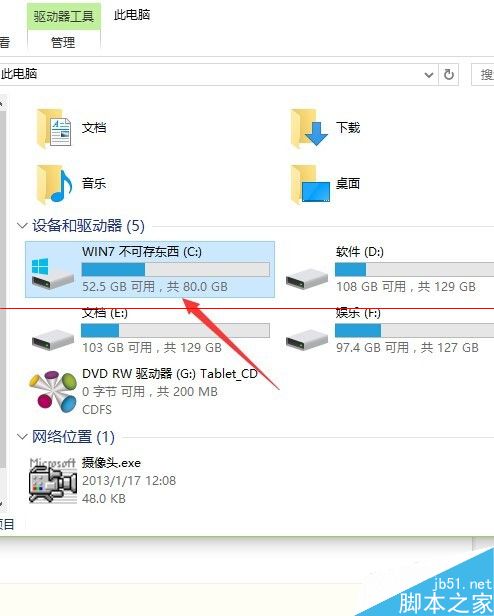
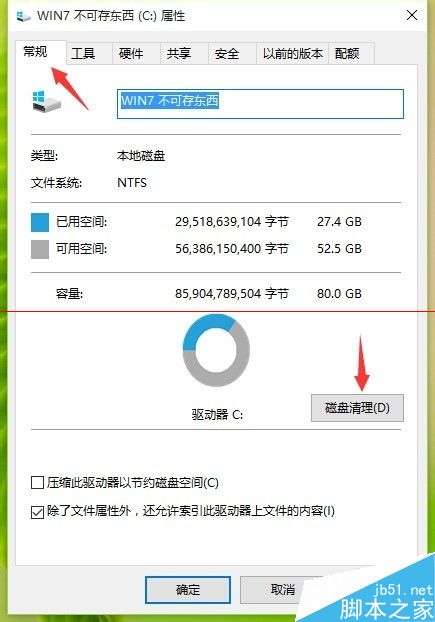
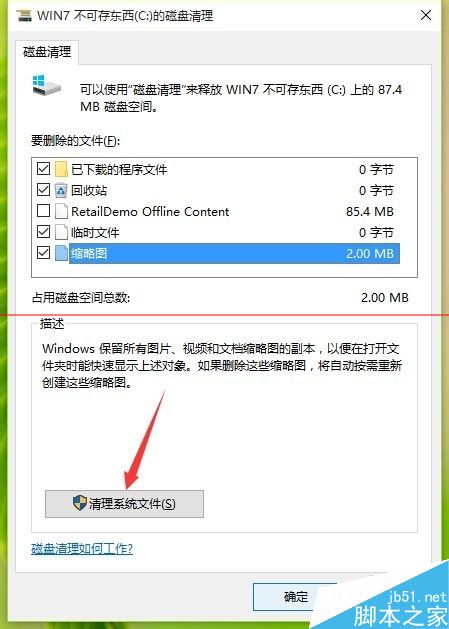
- 右鍵 C 槽 → 「內容」→「磁碟清理」。
- 點擊「清理系統檔案」(需管理員權限)。
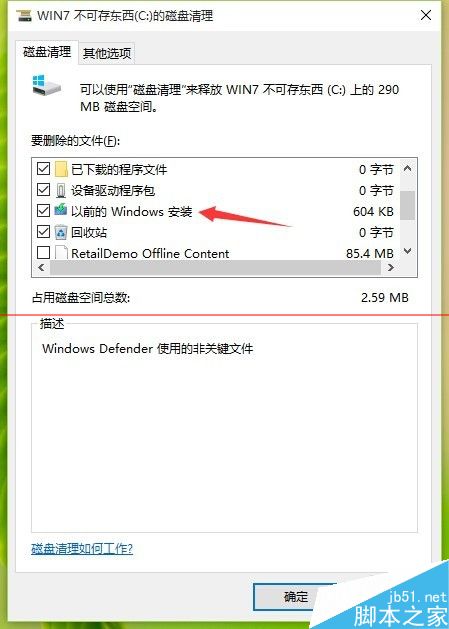
- 勾選 「舊版 Windows 安裝」(約 20 GB)、「Windows 更新清理」、「暫存檔案」、「資源回收筒」等。
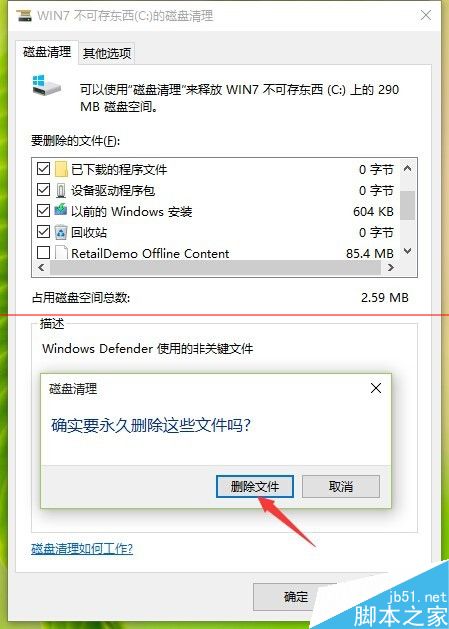
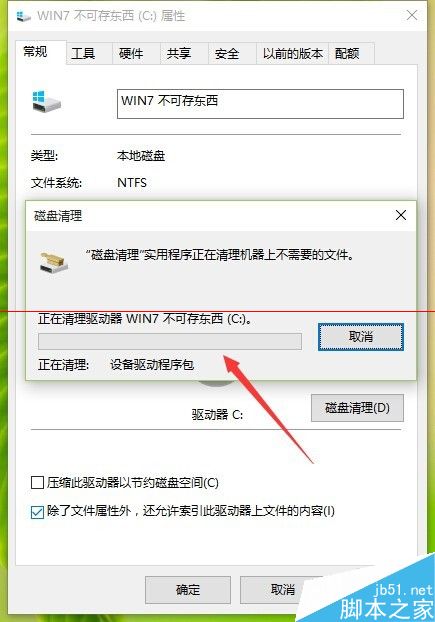
- 確定刪除,等待完成。
步驟二:遷移 IE 暫存檔至非系統碟
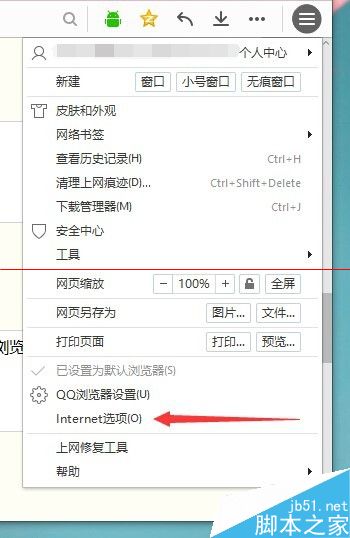
- 開啟 IE → 齒輪圖示 → 「網際網路選項」。
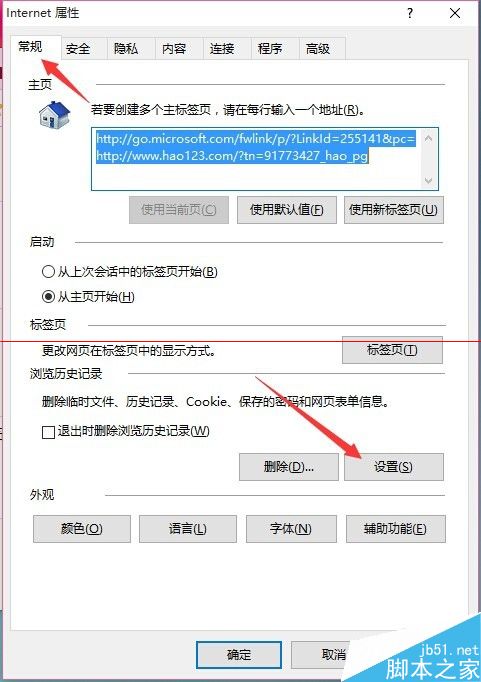
- 「一般」索引標籤 → 「瀏覽記錄」區域 → 「設定」。
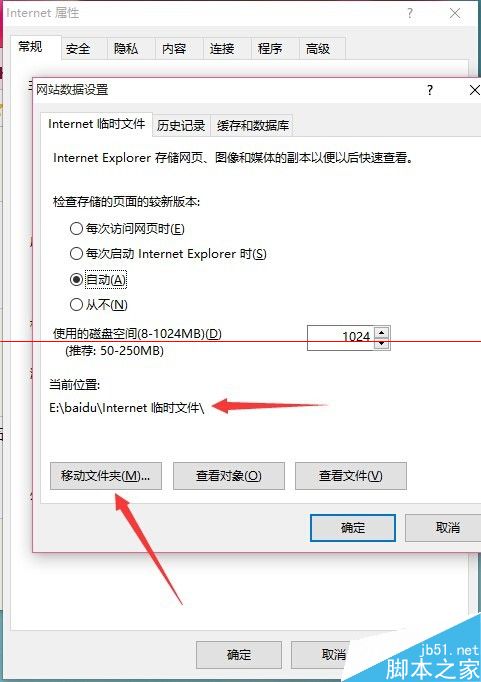
- 點擊「移動資料夾」→ 選擇 D 槽或其他非系統碟根目錄建立新資料夾 → 確定。
效果
清理後 C 槽可釋放 20-30 GB 空間,系統開機與執行速度明顯改善。