Win8 Modern 風格「照片」應用預設讀取「圖片庫」,但新裝系統時庫內往往是空的。只需幾步驟將自訂資料夾加入庫,即可享受沉浸式瀏覽體驗。
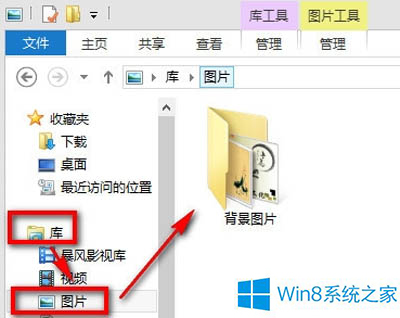
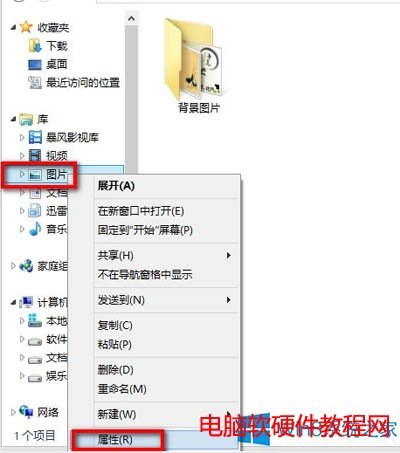
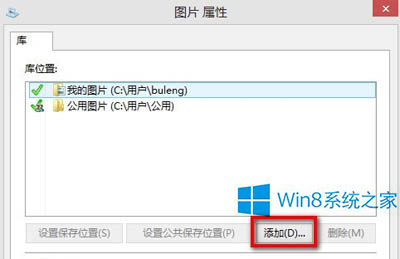
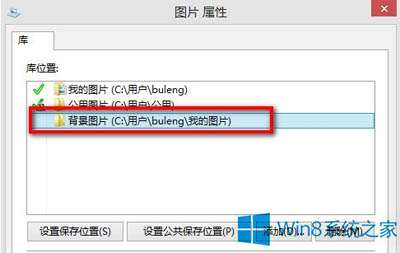
建議將常用相片資料夾放在易存取位置 (如文件庫、桌面),方便隨時加入。庫機制不移動實體檔案,僅建立索引,安全且彈性。
Win10 內建指令建立 Wi-Fi 熱點:netsh wlan hostednetwork 完整教學(含網際網路共用設定)
Win7 32 位系統無法識別 DVD 光碟機?非硬體故障,註冊表修復 UpperFilters/LowerFilters 即可解決
Windows 7 查看詳細系統版本號:slmgr.vbs 參數完整說明
升級 Win10 後軟體會消失嗎?各版本升級保留內容完整說明
Win7 開啟資源回收筒提示「此項目屬性未知」?群組原則恢復預設修復
Win10 地圖定位不準?微軟解釋原理並承諾改進 Wi-Fi 定位精度