Windows XP Windows 7 Windows 2003 Windows Vista Windows 綜合教學 Linux 系統教學
Windows 10 Windows 8 Windows 2008 Windows NT Windows Server 電腦軟體教學
您现在的位置: Windows教程網 >> Windows教程 >  >> Windows 綜合教學 >> 關於 Windows

Win7 程式圖示損壞修復:優化大師圖示修復或重新命名執行檔

編輯:關於 Windows

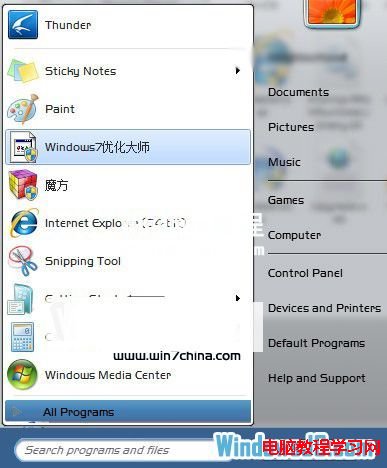
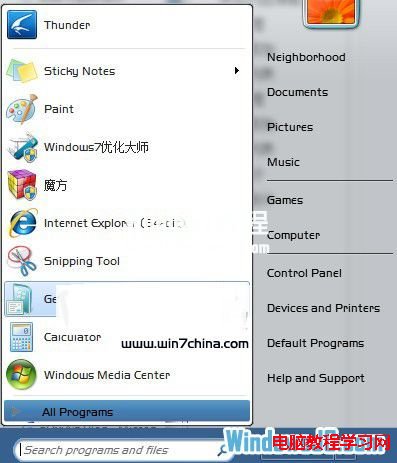
Win7 程式圖示突然變成預設白紙/損壞圖示,兩種快速修復法:

方法一:優化大師圖示修復(推薦)

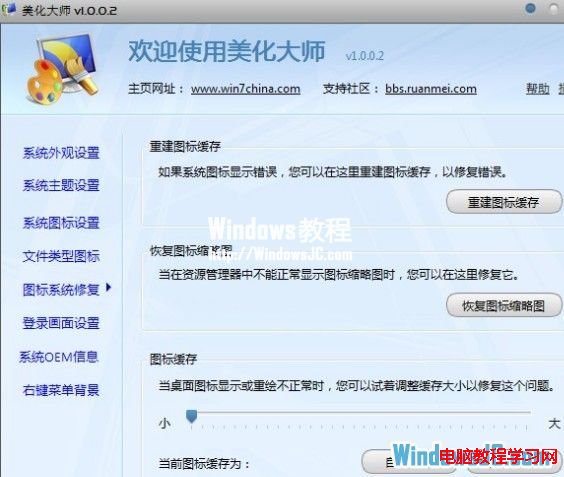
  1. 開啟 Windows 7 優化大師 →「美化大師」→「圖示修復」。
  2. 點擊「修復」→ 系統重建圖示快取 → 完成後重開機生效。

方法二:重新命名執行檔(應急)

  1. 將損壞圖示的 .exe 檔名加底線/修改名稱(如 program.exe → program_.exe)。
  2. 圖示立即恢復正常(系統重新關聯圖示資源)。
  3. 若需保持原名,可建立新捷徑指向重新命名的 .exe。

原因

圖示快取 (IconCache.db) 損壞或圖示資源索引錯誤。重建快取或改變檔案名稱觸發重新索引即可修復。

Copyright © Windows教程網 All Rights Reserved