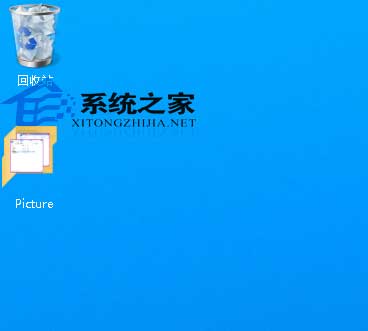
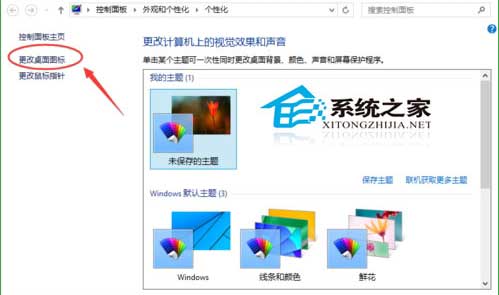
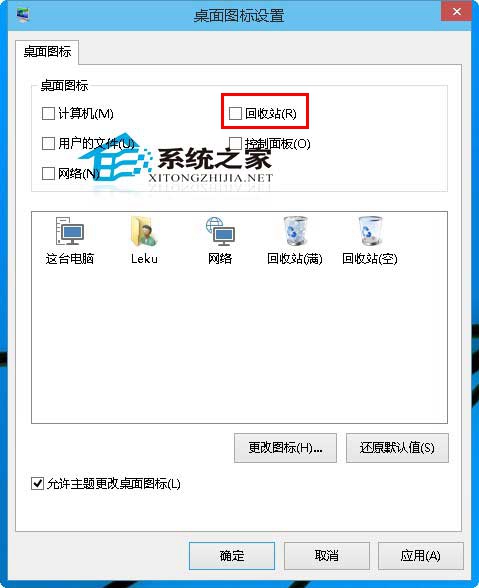
善用 Win10 虛擬桌面功能時,想讓某個桌面只放個人檔案,卻被回收站圖標佔據一角?隱藏它很簡單:
同樣方式也能隱藏/顯示「這台電腦」、「使用者的檔案」等系統圖示。想自訂圖示外觀?請看《Win10 桌面圖示如何修改》。
Windows 8 找回經典開始功能表:修改登錄表或第三方工具兩大法
Win7/Win8.1 獲取 Windows 10 程式:系統升級受阻等待時間漫長
Win8 麥克風音量太小怎麼調?詳細設定教學
Windows 7 無線滑鼠使用過程短暫停頓?關閉 USB 選擇性暫停設定解決
Win7 如何設定螢幕不關機、不睡眠、不自動黑屏?電源選項「從不」完整設定
Windows 10 承諾卻遲未上線的六大功能深度盤點
Win10 電源選項找不到「休眠」?啟用隱藏的休眠選項加入開始功能表電源選單
Win10 Build 10049 已知 Bug 匯總:登入藍畫面、Outlook 搜尋失效、VS2015 相容性、虛擬機無法運作 + 已修復項目