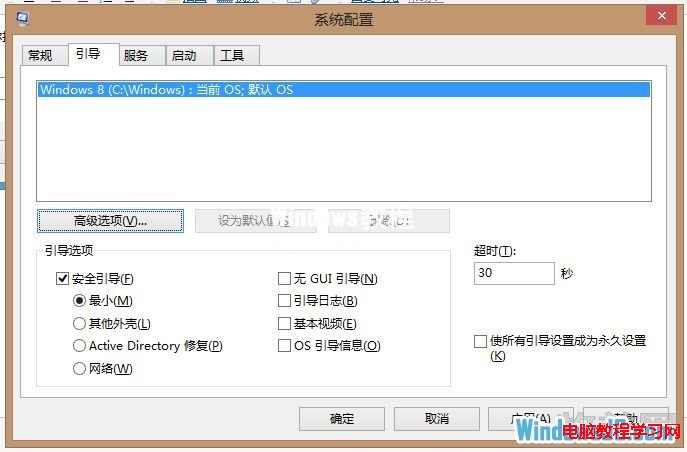
Win8 安全模式不再單純靠開機狂按 F8,主要透過「系統設定」預設下次重開進入安全模式,或在 BIOS 後、Logo 前按 F8 呼叫啟動選單。
msconfig →「啟動」頁籤。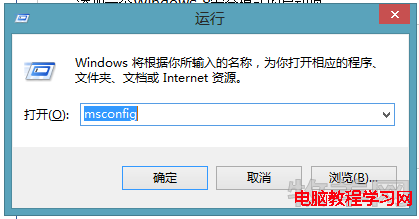
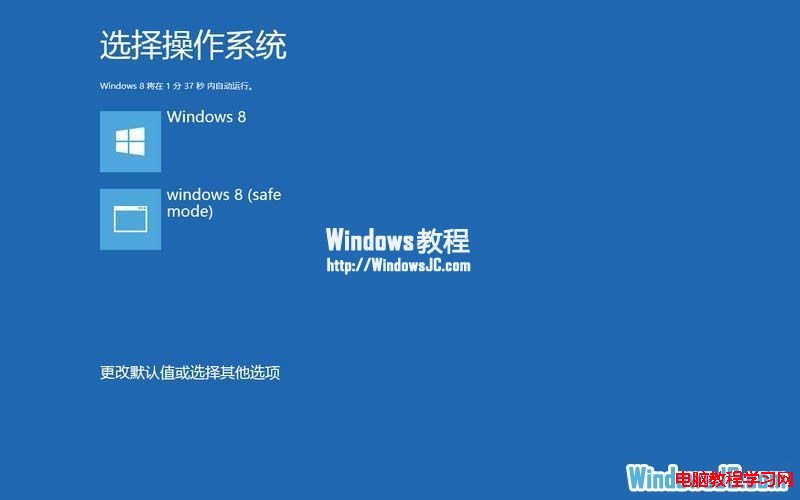
BIOS 畫面後、Windows Logo 前連續按 F8,呼叫啟動選單(解析度 800×600,支援觸控)。
Win10 虛擬機無法全螢幕解決:更新 VMware Tools、啟用 Retina 解析度、重裝 Tools
Win10 Build 9860 新增套件管理框架 OneGet:PowerShell 一鍵搜尋/安裝/更新軟體
Win7 開啟 Telnet 用戶端/服務圖文教學:控制台啟用 Windows 功能
Win7 視窗邊框與工作列顏色自訂全攻略:內建配色、濃度、混色器進階調校
Win7 無法正常關機?排除病毒、登錄表、群組原則、關機音效完整排查
解決 Windows 8 開機提示「igfxTray Module 已停止運作」:顯示卡驅動程式回滾與更新教學