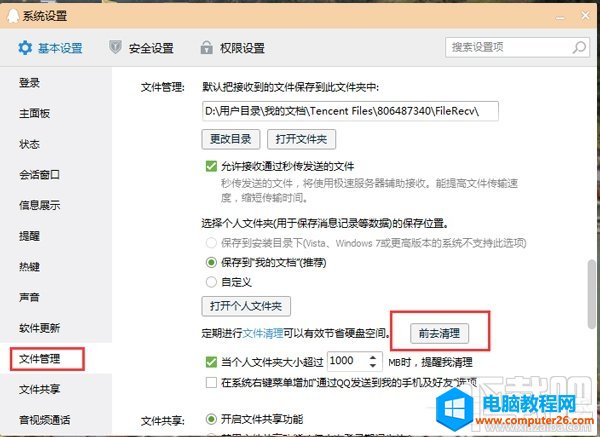
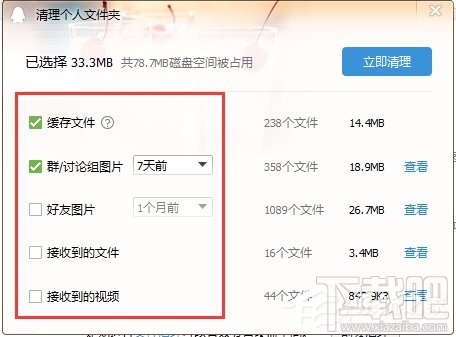
QQ 內建清理工具可掃描並刪除快取、臨時檔、聊天記錄媒體等佔用空間的檔案。
定期清理可騰出數 GB 空間,不影響聊天記錄文字內容。
IIS設定封鎖特定IP或IP區段存取網站教學
Win10 Build 9860 現神秘「zPC Setting」彩蛋,含 OEM、Deprecated 等調侃選項
Win7 自動更新後彈出「重新啟動電腦」怎麼關?群組原則永久靜音
Win7 開啟 IE 提示「已停用的增益集,網頁內容無法顯示」?兩步驟修復捷徑參數錯誤
Win10 內建 Hyper-V 虛擬機無法上網?建立外部虛擬交換機完整設定圖解
Windows 10 Build 9926 官方 ISO 映像檔下載教學(透過 MSDN I Tell You)
Win7 如何關閉硬體加速解決影片播放花屏?顯示卡設定調整或驅動面板關閉
WinXP 滑鼠指標變成小黑方塊怎麼辦?快速恢復正常指標的圖文教學