魯大師舊版本在 Windows 10 下可能因相容性問題無法啟動。透過設定「相容模式」以 Windows 7 或 XP 模式執行,通常即可解決。
Ludashi.exe。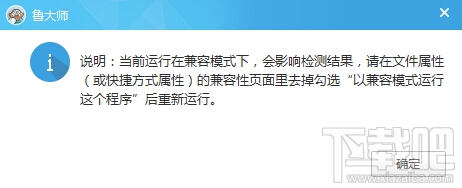
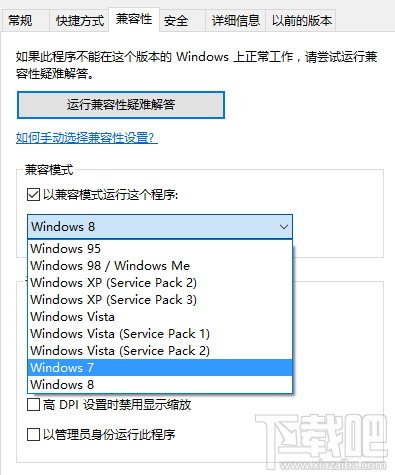
sfc /scannow 修復系統檔案。提醒:魯大師屬於硬體檢測/驅動更新類工具,建議僅在需要時執行,平時不必常駐背景,以免影響系統效能。
Win10 10159 無法使用 Outlook/Hotmail 登入解決方法
Win10 新版應用程式商店 Beta 版無法開啟/閃退?CMD 一行指令清除快取即可修復
關閉 Windows 8 IE10 讓其他瀏覽器成為預設:關閉 Windows 功能
Win7 關閉縮圖預覽提升開啟資料夾速度:資料夾選項進階設定
Windows 10 Build 9926 修復大小寫/數字鍵盤指示燈錯亂 Bug
Win8.1 玩《神之浩劫》出現錯誤 14001 找不到 MctsInterface.dll?兩種解決方案
Win10/8.1/8 磁碟使用率 100% 完整解決方案:六大優化與終極建議
Win7 安裝 UE (USB Encryption) 後關機藍屏 0x00000018?刪除 hpmobiledisk.sys 驅動與登錄項徹底解決