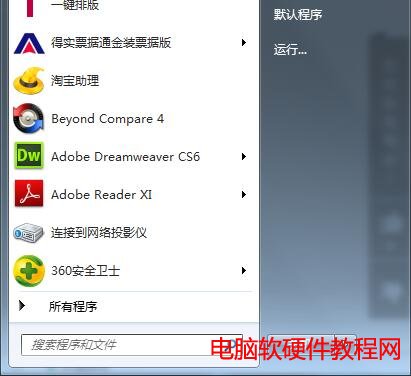
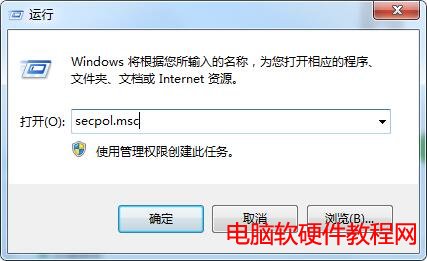
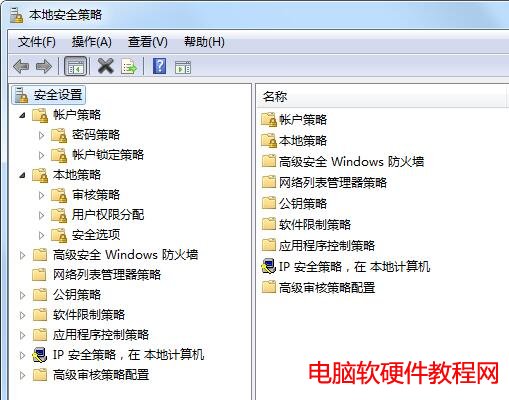
本地安全策略是 Windows 系統中進行安全配置的核心工具,透過它可以詳細調整各項安全設定以滿足特定需求。以下提供三種快速開啟的方法:
secpol.msc
以系統管理員身分開啟 CMD 或 PowerShell,輸入 secpol.msc 並執行。
提示:本地安全策略僅適用於 Windows 7 專業版、企業版與旗艦版;家庭版預設不包含此功能。
Win10 專業版註冊表恢復預設值指令教學:一鍵修復升級通道設定
Win10 64位 QQ 語音/視訊音量太小?兩大解法:QQ 設定與系統麥克風增強
在 Windows XP 系統下安裝 Windows 8 完整教學
Win10 輸入法顯示「IME 已停用」無法輸入中文?啟用 MsCtfMonitor 即可修復
Win8 藍畫面錯誤代碼 0x00000019 完整排除指南:BAD_POOL_HEADER 核心記憶體池損毀
Win10 10576 隱藏 UI 改進:開始畫面右鍵選單與設定應用細節優化
安裝 Windows 7 時無法選擇第一分區?「無法定位現有系統分區」兩大解決方案
UWP 應用整合 Cortana 完整指南:三種語音交互模式與設計準則