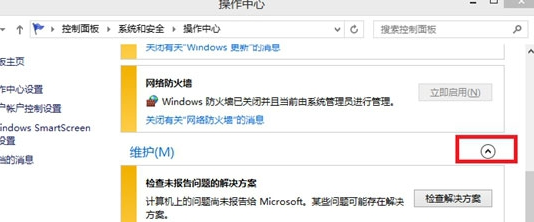
「可靠性記錄」 (Reliability Monitor) 記錄系統穩定性指數 (1-10 分) 及關鍵事件 (應用程式故障、Windows 失敗、資訊事件)。長期累積會佔用磁碟空間且推送大量問題報告。
若不想讓系統持續記錄,可停用相關服務:
services.msc → Windows Error Reporting Service 設為「停用」;
Customer Experience Improvement Program 相關排程任務停用 (工作排程器 → Microsoft → Windows → Customer Experience Improvement Program)。
操作後系統不再收集可靠性數據,亦不會推送問題報告解決方案。
Win8 CP 版 IE10 使用技巧全攻略:Metro 版與桌面版差異、收藏夾、相容性檢視、預設瀏覽器、圖示恢復
Win8.1 升級郵件/行事曆/人脈應用:透過 Microsoft Store 登入 Microsoft 帳號完成應用更新
Windows 8.1 Preview 升級指南與新功能體驗:雙安裝方案、開始按鈕回歸、垂直開始畫面、多螢幕增強、Xbox Music、整合搜尋、Bing 頻道
Win8 系統提示音無法修改?刪除登錄 ExcludeFromCPL 鍵值恢復自訂功能
Windows 8 十大必知重點:觸控介面、發布時程、自有品牌平板、廠商陣容、規格、價格、ARM/x86 支援