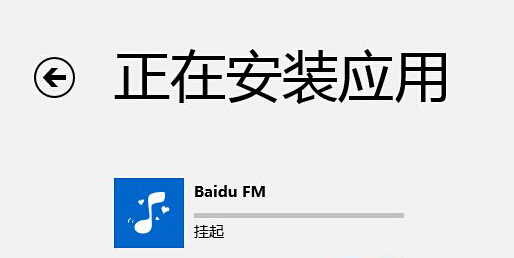
net stop wuauserv 停止更新服務。C:\Windows\SoftwareDistribution\Download → 刪除資料夾內所有檔案。net start wuauserv 重新啟動服務。防火牆或安全軟體可能攔截應用程式下載連線,暫時關閉後重試安裝。
兩種方法通常可解決商店應用程式長期掛起無法安裝的問題。
Win8 系統啟動模式判斷:UEFI 還是 BIOS/Legacy 三大查看法
Windows 8 開始畫面空空如也?啟用「所有應用程式」檢視並釘選常用程式
Win8 媒體串流設定圖文教學:控制台 → 網路共用中心 → 媒體串流選項
Win8.1 Java 程式無法執行?啟用瀏覽器 Java 內容 + 重設外掛程式
Windows 8 系統安裝完整流程圖解:從購買、相容性檢測到升級助手引導安裝
Win8 開機顯示「配置 Windows 更新失敗,正在還原更改」?msconfig 禁用非微軟服務法快速突破