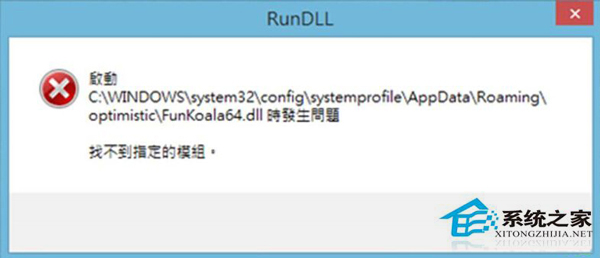
開機彈出 FunKoala64.dll 找不到,經分析為風行播放器卸載不乾淨留下的啟動項註冊表/檔案殘留。
FunKoala64.dll
C:\Windows\System32\config\systemprofile\AppData\Roaming\clover\
卸載軟體建議使用專業卸載工具掃描殘留,避免此類啟動錯誤彈窗。
Windows 8 本機安全性原則進階應用:防暴力破解、防火牆、AppLocker 完整指南
Windows 8 磁碟分區超過 4 個主分區限制?擴展分區技巧突破上限
Win8 工作管理器無法開啟?六大解決方案徹底修復
Windows 8 關機方法大彙總:網友實測 10 招,從 Charms 列到快速鍵一次滿足
Win8.1 設置開機自動登入:netplwiz 取消「用戶必須輸入用戶名和密碼」輸入帳密確定
Windows 8 遠端桌面連線完整設定與連線教學
Win8.1如何將公用網路改為專用網路?設定介面「尋找裝置和內容」一鍵切換
Win8 修改螢幕解析度教學:Charms→設定→電腦設定→電腦與裝置→顯示→拖曳調整解析度