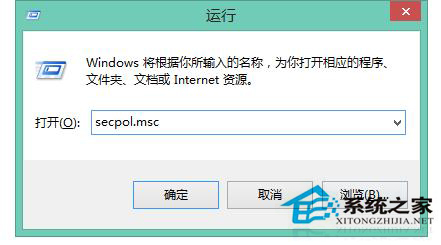
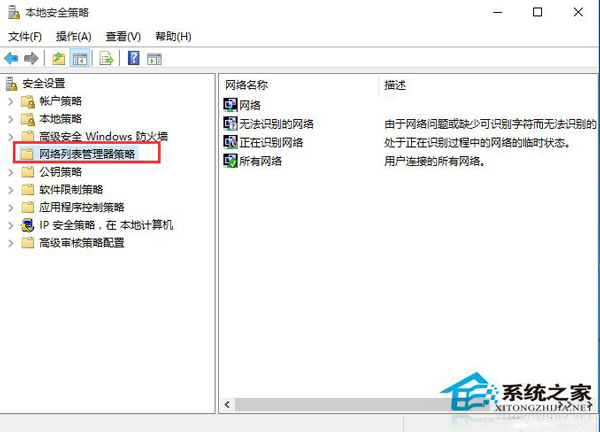
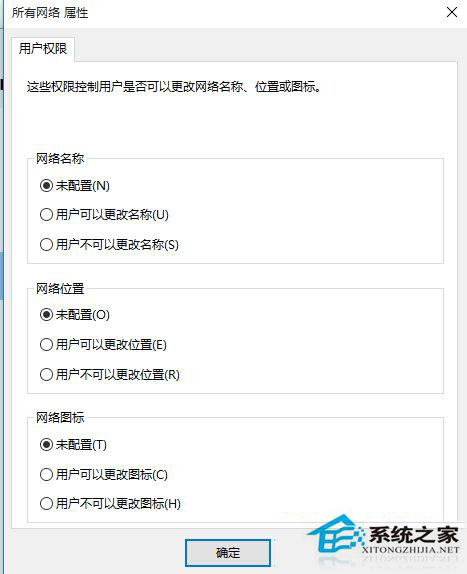
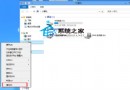
公用網路安全性較高但限制共享/發現,需切換為專用網路 (家庭/工作) 卻無選單可改,透過本機安全性原則強制修改。
secpol.msc
此法適用於 Win8/8.1/10/11,家庭版無 secpol.msc 者可用註冊表 HKEY_LOCAL_MACHINE\SOFTWARE\Microsoft\Windows NT\CurrentVersion\NetworkList\Profiles\ 修改 Category (0=公用, 1=專用, 2=網域)。
HKEY_LOCAL_MACHINE\SOFTWARE\Microsoft\Windows NT\CurrentVersion\NetworkList\Profiles\
Category
Win8 任務管理器出現 egui.exe 進程是什麼?ESET 安全軟體圖形介面元件,非病毒
Windows 8 啟用公用資料夾共享圖文教學:網路與共享中心進階設定
Win8 永久隱藏工作列的三種方法:從內建設定到第三方工具
Win8 查看網卡 MAC 位址的兩大方法(圖形介面與指令)
Windows 8/8.1 藍牙設備顯示脫機解決方案:雙擊喚醒服務/重新配對
Windows 8 找回誤刪的控制台 Metro 磚塊:搜尋 Control Panel 重新固定
Win8.1 刪除 Windows.old 清理 C 槽空間完整教學
Win8 寬帶撥號錯誤 741 解決法:加密類型不支援,改為「不允許加密」或「可選加密」