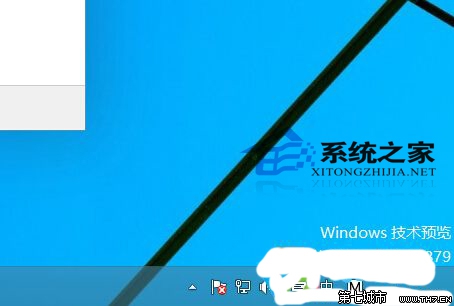
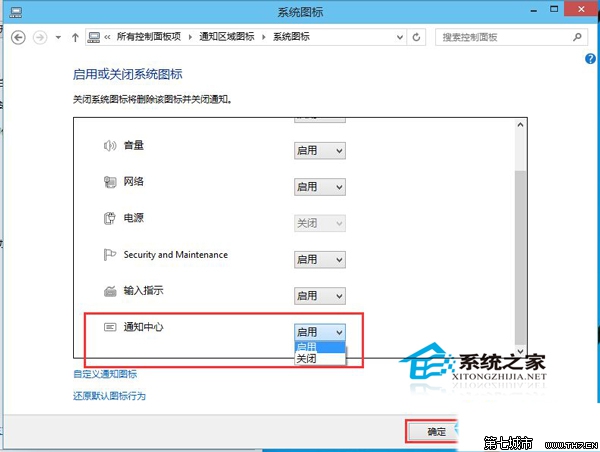
Win10 任務列右側通知中心圖示(對話氣泡)若不需要,可透過任務列屬性徹底隱藏,不佔空間不干擾。
隱藏後不再顯示圖示,通知功能本身仍運作(可在設定裡關閉特定應用程式通知)。同樣適用於 Windows 11 的任務列設定邏輯。
Windows 8 藍牙滑鼠配對四步驟:工作列隱藏圖示 → 藍牙圖示右鍵 → 新增裝置 → 選取滑鼠完成
Windows 8 版淘寶網客戶端體驗:雜誌式介面、專題導購與觸控優化
Win8 無線網卡安裝全攻略:免驅動與手動安裝雙軌說明
Windows 8 縮圖顯示錯亂/不顯示?兩種方法重建縮圖快取 (磁碟清理 / 手動刪除 thumbcache_*.db)
Windows 8.1 磁碟使用率 100% 解決方案:停用 IPv6 與特定服務降低負載
Win8 開啟 ISO 檔案兩大法:原生掛載與壓縮軟體解壓
Win8 設定開機自動撥號上網:建立撥號捷徑放入啟動資料夾
Win8 終極優化教程:服務精簡、視覺效果調整、資料夾遷移、啟動項管理、關閉 GUI 開機動畫