補充:若屬性無密碼,請檢查下載頁面說明,有時密碼會標註在網頁下方。細心觀察可避免放棄資源。
Windows 8 开机直达桌面跳过开始屏幕:SCF 快捷方式放入启动文件夹实现
Windows 8 無法辨識光碟機?登錄表刪除 UpperFilters/LowerFilters 修復法
Win8 管理自動登入憑證完整教學
Windows 8.1 網路連線受限/無法存取網際網路解決方案:重設無線網路設定檔
Windows 8 啟用 IE11 企業模式 (群組原則圖文教學)
Windows 8 最低硬體需求完整解析:老筆電也能跑得動?
Win8 更新 KB3000850 失敗?解除安裝第三方安全軟體即可
Windows 8 郵件應用程式設定第三方信箱 (Gmail、Outlook、Yahoo、企業信箱) 完整教學
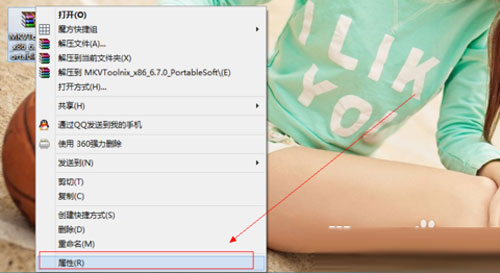 選擇 RAR 檔案屬性
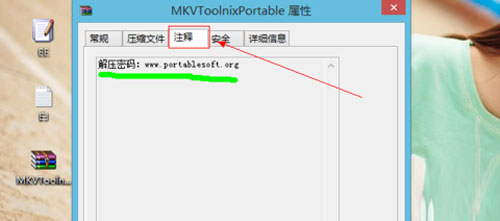 備註欄位顯示密碼
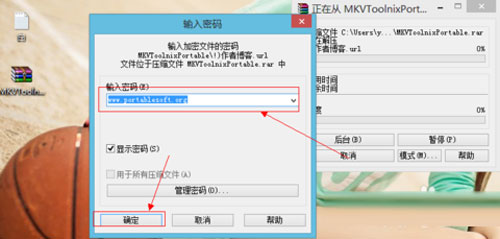 輸入密碼解壓